
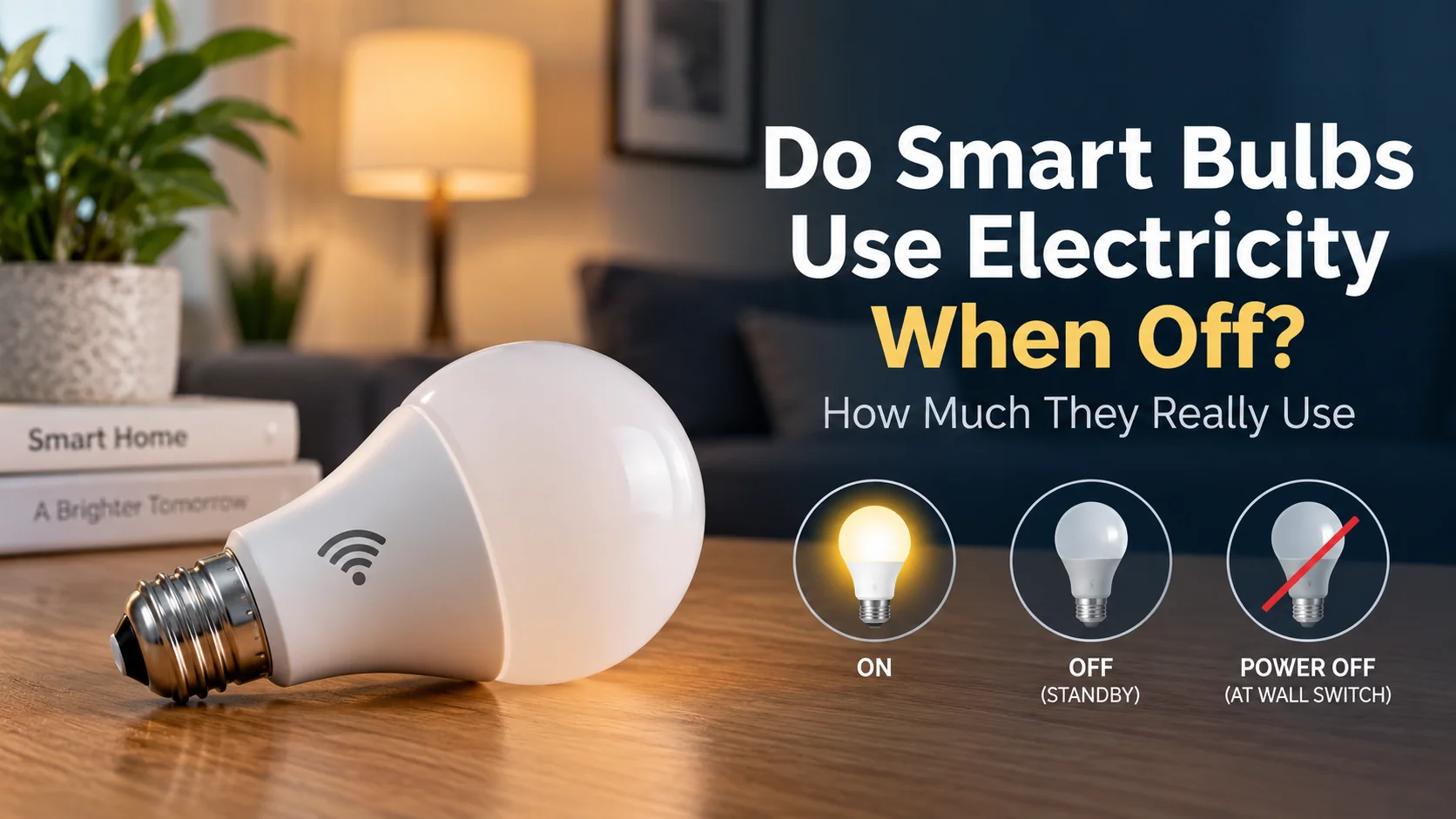
Yes, smart bulbs use a small amount of electricity even when they appear to be off — as long as they still have power from the wall.
When you turn a smart bulb off through an app, voice assistant, schedule, or automation, the LEDs stop producing light, but the bulb’s electronics remain powered. That allows it to stay connected and respond when you ask Alexa or Google Home to turn it back on.
The amount of standby electricity is usually very small. For example, TP-Link lists the Kasa KL125 at 0.2 watts of standby power, compared with a maximum operating consumption of 8.8 watts. A Philips Hue White Ambiance specification sheet lists maximum standby power of 0.5 watts for that particular model.
So yes, smart bulbs use electricity when off, but for a single modern bulb, the annual cost of that standby power can be surprisingly small.
How Much Electricity Does a Smart Bulb Use When Off?
There isn’t one standby-power figure that applies to every smart bulb.
Power consumption depends on the bulb, its wireless technology, electronics, firmware, and operating state. Manufacturer specifications are therefore more useful than assuming every smart bulb consumes the same amount.
Here are two real examples:
| Smart bulb | Standby power | Maximum operating power |
|---|---|---|
| Kasa KL125 | 0.2W | 8.8W |
| Philips Hue White Ambiance example | Up to 0.5W | 8.5W |
TP-Link specifically notes that a connected smart bulb remains powered in standby and lists 0.2W standby consumption for the KL125. Signify’s specification sheet for the Philips Hue example lists a maximum standby figure of 0.5W.
These figures shouldn’t be treated as universal numbers for all Kasa or Philips Hue bulbs. Different models can have different specifications.
If you’re choosing affordable bulbs for your home, our best smart light bulbs under $20 guide compares several budget options.
Why Do Smart Bulbs Use Electricity When They’re Off?
A regular LED bulb and a smart LED bulb behave differently when you turn them off.
With a conventional bulb, switching off the wall switch cuts electrical power to the bulb. There is no need for the bulb to remain connected to anything.
A smart bulb needs to be available for the next command.
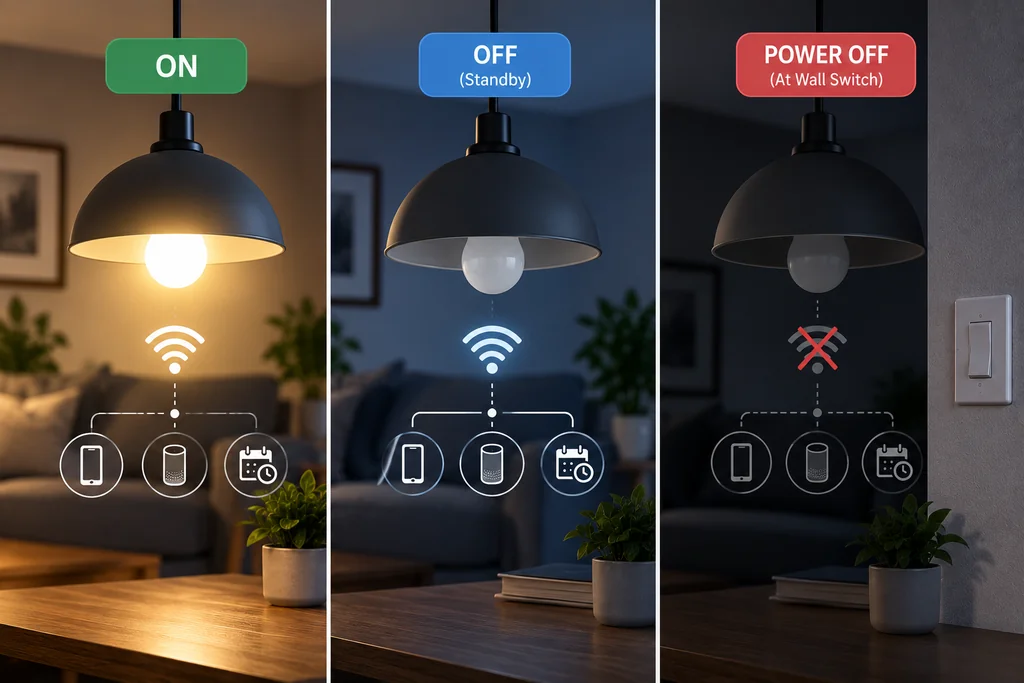
Depending on the product, it may communicate using Wi-Fi, Bluetooth, Zigbee, Thread, or another technology. Its communication and control electronics need some power to remain available.
Imagine turning your bedroom bulb off using an app and then saying:
“Alexa, turn on the bedroom light.”
For that command to work, the bulb — or the system controlling it — needs to remain powered and able to receive instructions.
The same applies to schedules and automations. If you have an automation that turns your lights on at sunset, physically cutting power to the bulbs prevents them from responding until power is restored.
This is why smart bulbs are normally left powered at the wall and turned on and off electronically.
If you’re new to home automation, our guide to setting up a smart home from scratch explains how lighting, speakers, plugs, security devices, and other smart-home products fit together.
How Much Does Smart Bulb Standby Power Cost Per Year?
Standby wattage sounds abstract until you convert it into annual electricity use.
The calculation is straightforward:
Standby watts × 24 hours × 365 days ÷ 1,000 = annual kWh
Suppose a smart bulb consumes 0.5W continuously while in standby.
The calculation would be:
0.5 × 24 × 365 ÷ 1,000 = 4.38 kWh per year
Your actual cost then depends on your electricity rate.
For illustration, we’ll use $0.20 per kWh. This is simply an example rate, not an estimate of what every household pays.
| Standby power | Annual electricity use | Annual cost at $0.20/kWh |
|---|---|---|
| 0.2W | 1.75 kWh | $0.35 |
| 0.5W | 4.38 kWh | $0.88 |
| 1.0W | 8.76 kWh | $1.75 |
These calculations assume the device remains at that standby consumption for all 8,760 hours of the year. Real-world consumption can differ.
The important takeaway is that fractions of a watt don’t normally translate into a large annual electricity bill for one bulb.
What About a House With 10 Smart Bulbs?
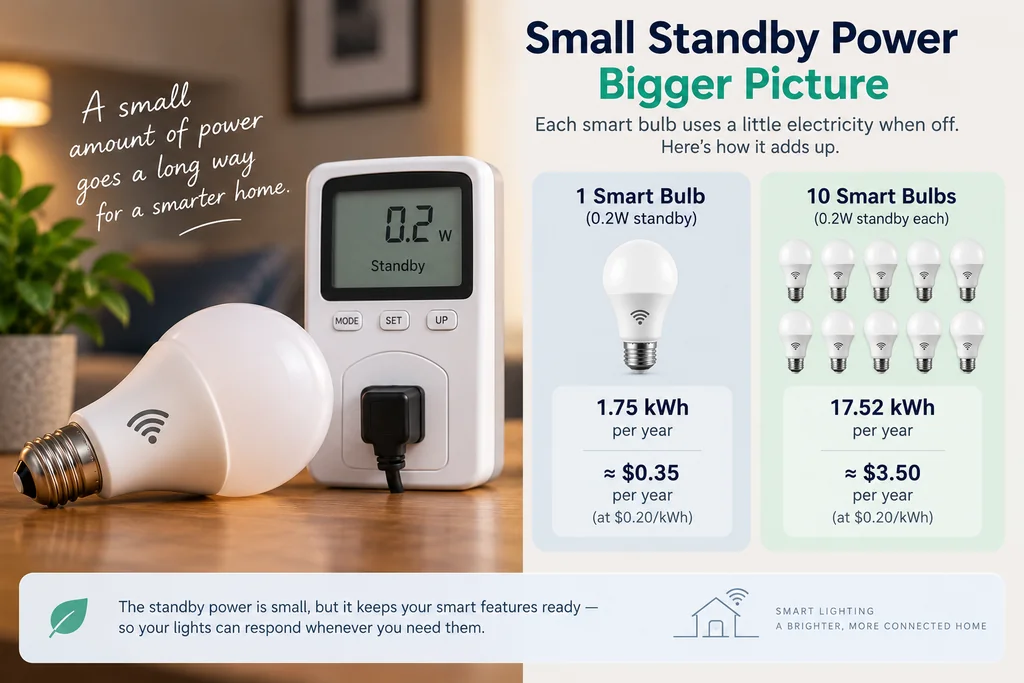
Standby consumption becomes more interesting when you multiply it across many devices.
If you had 10 bulbs and each consumed 0.2W continuously in standby, together they would use about:
17.52 kWh per year
At our illustrative $0.20/kWh rate, that would cost approximately:
$3.50 per year
Here’s how different standby levels compare:
| Number of bulbs | Standby per bulb | Annual energy | Cost at $0.20/kWh |
|---|---|---|---|
| 1 | 0.2W | 1.75 kWh | $0.35 |
| 10 | 0.2W | 17.52 kWh | $3.50 |
| 10 | 0.5W | 43.8 kWh | $8.76 |
| 10 | 1.0W | 87.6 kWh | $17.52 |
| 20 | 0.5W | 87.6 kWh | $17.52 |
This illustrates why standby power is usually insignificant for one efficient smart bulb but becomes more relevant when a home contains dozens of always-connected devices.
Does Turning a Smart Bulb Off at the Wall Save Electricity?
Yes.
If the wall switch completely disconnects electrical power from the smart bulb, the bulb can no longer consume its normal powered standby energy.
But there’s a catch: it also stops functioning as a smart bulb.
When power is cut at the wall, you generally won’t be able to turn the bulb back on using an app, voice command, remote schedule, or smart-home automation.
For example, if someone turns your bedroom smart bulb off at the physical switch, saying “turn on the bedroom light” later won’t help because the bulb has no power with which to receive the command.
That’s why smart bulbs are generally designed to remain powered at the wall.
For everyday use, the convenience and automation benefits are usually more valuable than eliminating a fraction of a watt of standby consumption.
Should You Leave Smart Bulbs Powered All the Time?
If you want their smart functions to remain available, usually yes.
Keeping the wall switch on allows the bulb to respond to features such as:
- app control
- voice commands
- schedules
- timers
- scenes
- routines
- remote control
- occupancy-based automations
This doesn’t mean the light itself needs to remain illuminated. Turning a smart bulb off electronically stops the light output while allowing the communication electronics to remain available.
ENERGY STAR notes that smart lighting can use features such as geofencing, occupancy sensing, remote shutoff, and away modes to reduce unnecessary lighting use.
ENERGY STAR’s smart-lighting guidance
So although leaving a smart bulb connected creates a small standby load, that connectivity can also help prevent a much larger waste: leaving the actual light on when nobody needs it.
Do Smart Bulbs Save Electricity Overall?
They can, but simply replacing a regular LED bulb with a smart LED bulb doesn’t automatically guarantee lower electricity use.
The potential savings largely come from how you use the smart features.
For example, you might configure your lights to:
- turn off automatically when you leave home
- follow a daily schedule
- switch off when a room is unoccupied
- dim at certain times
- turn off remotely when you forget
- participate in a whole-home away routine
ENERGY STAR specifically highlights geofencing, occupancy sensing and remote control as smart-lighting features that can help reduce unnecessary energy use.
Consider the Kasa KL125 as an example.
TP-Link lists maximum operating consumption at 8.8W and standby consumption at 0.2W.
If an automation prevents an 8.8W bulb from being unnecessarily illuminated for several hours, the electricity avoided during those hours can outweigh many hours of 0.2W standby consumption.
However, someone who already uses efficient LED bulbs and consistently turns them off when they aren’t needed may see little energy reduction simply by replacing them with smart bulbs.
Smart bulbs are primarily about convenience, automation, remote control, and customization. Potential energy savings are an additional benefit rather than a guarantee.
Wi-Fi vs Zigbee vs Thread: Which Uses Less Standby Power?
It’s tempting to assume that the wireless protocol tells you exactly how much standby power a bulb will consume, but the comparison isn’t that simple.
The actual standby consumption depends on the entire bulb design, not just whether it uses Wi-Fi, Zigbee, or Thread.
Wi-Fi smart bulbs
Wi-Fi bulbs can communicate directly through your home Wi-Fi network and often don’t require a dedicated smart-home hub.
That makes them particularly convenient for beginners and smaller smart-home setups.
The Kasa KL125 is an example of a 2.4GHz Wi-Fi bulb. Despite being Wi-Fi connected, TP-Link lists its standby consumption at just 0.2W.
That is a useful reminder that you shouldn’t assume every Wi-Fi bulb has high standby consumption.
Zigbee smart bulbs
Zigbee is a low-power wireless technology commonly used for smart-home devices. It also supports mesh networking, allowing compatible devices to help extend the network.
Philips Hue is one of the best-known examples of a smart-lighting ecosystem using Zigbee.
Thread smart bulbs
Thread is an IP-based, low-power mesh networking technology that is increasingly important in Matter-enabled smart homes.
Thread and Matter are related, but they are not the same technology.
Matter provides a common application layer for compatible smart-home devices, while Thread can provide the network over which Matter devices communicate.
Our Matter vs Zigbee vs Z-Wave comparison explains these differences in much more detail.
You can also read what Matter is and how it works if you’re choosing devices for a new smart home.
The important point for electricity consumption is simple: don’t choose a bulb solely because you assume its wireless protocol will use less electricity. Check the actual manufacturer’s standby specification whenever it is available.
Do Smart Bulbs Use More Electricity Than Regular LED Bulbs?
When both lights are off, a conventional LED bulb that has been completely disconnected from power has an obvious advantage: it isn’t maintaining a wireless connection.
A powered smart bulb may still consume a fraction of a watt in standby.
When both bulbs are producing light, however, you need to compare the actual products.
Brightness, efficiency, color capability, electronics, and design can all affect operating power.
For example, TP-Link rates the 800-lumen Kasa KL125 at a maximum consumption of 8.8W. That doesn’t mean every 800-lumen smart bulb consumes 8.8W, nor does it mean every conventional LED uses less.
The fairest comparison is:
lumens produced versus watts consumed
rather than simply:
smart bulb versus regular bulb.
The additional standby consumption of a smart bulb is essentially part of the energy cost of keeping its connectivity and automation functions available.
Should You Turn Smart Bulbs Off at the Wall at Night?
Usually there is little reason to do this solely to save electricity.
Using the Kasa KL125’s listed 0.2W standby figure as an example, continuous standby for an entire year would amount to about 1.75 kWh.
At our illustrative $0.20/kWh electricity rate, that’s around $0.35 per year.
Switching the bulb off at the wall every night would reduce some of that standby consumption, but you’d also make the bulb unavailable for nighttime schedules, voice commands, remote control, and morning automations while power is disconnected.
For most people, simply turning the bulb off through the app, voice assistant, automation, or smart control is the more practical option.
If you won’t use a smart bulb for an extended period, completely disconnecting it is a different situation.
What Happens If You Turn a Smart Bulb Off With the Light Switch?
The bulb loses power.
That means your smart-home platform may show the bulb as offline or unavailable.
If an automation later tries to turn the light on, it generally won’t work because the bulb has no electricity.
Once you restore power at the wall, the bulb should be able to reconnect according to its design and configuration.
Some smart bulbs also let you configure how they behave after power is restored. For example, TP-Link added power-outage settings to newer KL125 firmware that can allow the bulb to remain off after an outage rather than automatically illuminating.
This can be useful after an actual power outage, but it doesn’t change the fundamental requirement: the bulb needs electrical power for its connected features to operate.
Is Smart Bulb Standby Power “Vampire Power”?
You’ll sometimes see smart-bulb standby consumption described as vampire power or phantom power.
Broadly speaking, these terms describe electricity consumed by devices while they aren’t performing their main visible function.
A smart bulb that’s dark but still connected fits that general idea.
However, there’s an important distinction.
The bulb isn’t consuming standby electricity for no reason. Its electronics remain active so it can receive commands and participate in your smart-home system.
That doesn’t make the consumption irrelevant, but it does mean the standby power is providing functionality.
For most households, the better question isn’t “Can I eliminate every fraction of a watt?” but rather:
“Am I getting enough value from the connected features to justify the small standby load?”
For people who regularly use automations, voice control, schedules, scenes, and remote access, the answer will often be yes.
How to Reduce Smart Lighting Electricity Use
If reducing your electricity consumption is the goal, focus first on the times when your lights are actually illuminated unnecessarily.
A few practical changes can have a bigger impact than repeatedly disconnecting bulbs to eliminate tiny standby loads.
Use schedules to turn lights off automatically at predictable times. Set occupancy-based automations where they make sense. Use away routines or geofencing if your smart-home platform supports them. Dim lights when full brightness isn’t necessary, and group rooms so multiple forgotten lights can be turned off at once.
ENERGY STAR recommends several of these approaches, including geofencing, occupancy sensing, remote shutoff, and integration with away modes.
It also makes sense to check power specifications when buying bulbs. Two products offering similar brightness and features don’t necessarily have identical operating or standby consumption.
Is Smart Bulb Standby Power Something to Worry About?
For most households, not particularly.
It exists, and it shouldn’t be described as zero. But the numbers can be small.
A 0.2W standby load running continuously for an entire year uses approximately 1.75 kWh. Even 0.5W continuously uses about 4.38 kWh annually.
The bigger picture becomes more important as you add devices.
One smart bulb is unlikely to have a meaningful impact on your electricity bill. But a home containing dozens of smart bulbs, plugs, speakers, displays, cameras, hubs, thermostats, and other always-connected devices will have a larger combined standby load.
That makes efficiency worth considering when building a smart home — without becoming overly concerned about a single efficient bulb drawing a fraction of a watt.
Smart Bulbs vs Regular LED Bulbs: Energy Comparison
| Feature | Smart LED bulb | Regular LED bulb |
|---|---|---|
| Uses electricity while producing light | Yes | Yes |
| Can consume power while electronically off | Yes | Not when fully disconnected |
| App control | Usually | No |
| Voice control | Usually | No |
| Scheduling | Usually | No |
| Automations | Yes | No |
| Can turn itself off automatically | Yes | No |
| Requires continuous power for connected features | Yes | No |
| Standby consumption | Varies by model | None when power is disconnected |
If your only priority is efficient illumination, a conventional high-efficiency LED bulb is simpler.
If you also want automation, schedules, voice control, scenes, remote access, or smart-home integration, the small standby consumption of a smart bulb is part of that trade-off.
How to Check Your Smart Bulb’s Standby Consumption
Start with the manufacturer’s technical specifications.
Look for terms such as:
- standby power
- standby power consumption
- networked standby
- power consumption when off
Don’t assume that every model from the same manufacturer has identical consumption.
For example, TP-Link publishes separate power specifications for its bulbs, and the current KL125 page explicitly lists 0.2W standby consumption.
You can also measure a lamp using a suitable plug-in electricity meter. However, very small standby loads require a meter capable of accurately measuring fractions of a watt.
Manufacturer documentation is therefore often the easiest starting point.
Frequently Asked Questions
Do smart bulbs use electricity when switched off?
Yes. If a smart bulb has been turned off electronically but remains powered at the wall, it typically continues consuming a small amount of electricity so its connected features remain available.
How many watts does a smart bulb use when off?
There is no universal figure. TP-Link lists 0.2W standby consumption for the Kasa KL125, while the Philips Hue White Ambiance example referenced in this guide lists maximum standby power of 0.5W. Check the specifications for your particular model.
Do smart bulbs use electricity when the wall switch is off?
If the wall switch completely disconnects electrical power, the bulb cannot continue normal powered standby operation. It also won’t be able to receive app, voice, or automation commands until power is restored.
Is it cheaper to turn smart bulbs off at the wall?
Technically, yes, because completely disconnecting the bulb eliminates its powered standby consumption. In practice, the savings for one efficient bulb can be very small, while switching it off at the wall disables its connected features.
Do Philips Hue bulbs use electricity when off?
Yes, if they remain powered and connected. For example, a Philips Hue White Ambiance specification sheet lists maximum standby power of 0.5W. Exact consumption depends on the model.
Do Kasa smart bulbs use electricity when off?
Yes. TP-Link explicitly states that connected Kasa bulbs use electricity in standby. The KL125 is specified at 0.2W standby consumption.
Can smart bulbs save electricity?
They can help reduce unnecessary lighting use through features such as schedules, occupancy control, geofencing, and remote shutoff. ENERGY STAR specifically identifies several of these features as ways smart lighting can help save energy.
That doesn’t mean a smart bulb automatically uses less electricity than an equivalent regular LED. Actual savings depend on the products and how they’re used.
Should smart bulbs stay powered all the time?
Normally, yes, if you want their smart features to remain available. Disconnecting power prevents the bulb from responding to remote commands until power is restored.
Final Verdict: Do Smart Bulbs Use Electricity When Off?
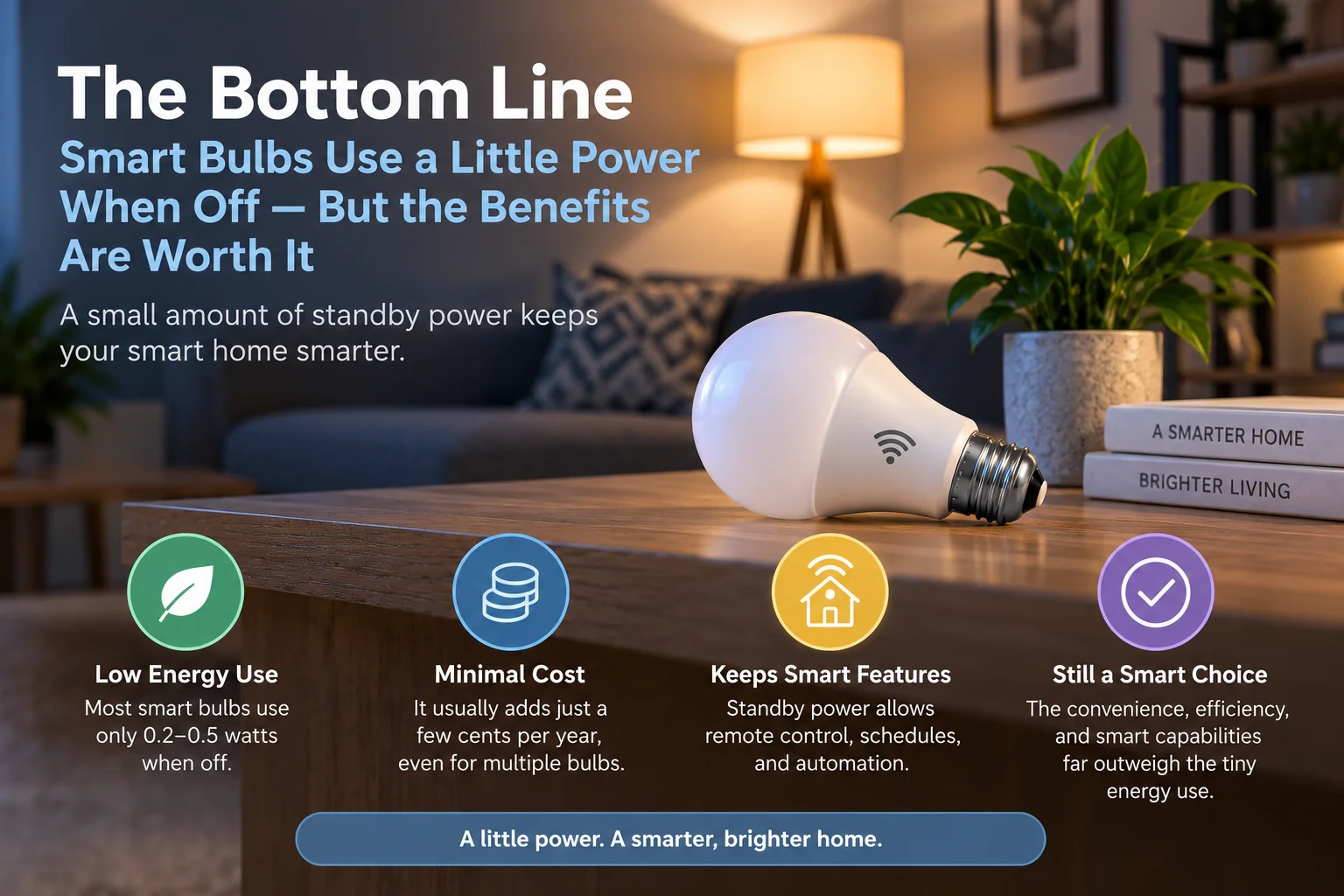
Yes. Smart bulbs generally use a small amount of electricity when they’re turned off electronically but remain powered at the wall.
That standby power keeps the bulb’s connected electronics available for apps, voice assistants, schedules, scenes, and automations.
How much electricity a smart bulb consumes in standby depends on the product. As real-world manufacturer examples, the Kasa KL125 is rated at 0.2W standby, while the Philips Hue example discussed above lists a maximum of 0.5W.
At an illustrative electricity price of $0.20/kWh, a continuous 0.2W load works out to roughly $0.35 per year, while 0.5W works out to around $0.88 per year.
For most households, that isn’t a compelling reason to switch smart bulbs off at the wall and lose their connected features.
A better approach is to use those features to your advantage. Schedules, occupancy automations, geofencing, dimming, and remote shutoff can help prevent lights from remaining fully illuminated when nobody needs them.
How We Researched This Guide
This guide is based on manufacturer technical specifications and energy-efficiency guidance rather than assuming all smart bulbs consume the same amount of standby electricity.
We used TP-Link’s published specifications for the Kasa KL125 as one current example. TP-Link lists 8.8W maximum operating consumption and 0.2W standby consumption for that model.
We also checked Philips Hue technical documentation from Signify, including a White Ambiance specification listing maximum standby power of 0.5W.
For broader energy-saving guidance, we referenced ENERGY STAR’s smart-lighting guidance, which discusses geofencing, occupancy sensing, remote control, and other smart-lighting features that can help reduce unnecessary energy use.
The electricity-cost examples in this article use $0.20/kWh purely as an illustrative rate. Your actual cost depends on your electricity tariff and the specific standby consumption of your bulbs.

Ryan Hayes
Founder & EditorRyan Hayes is the founder and editor of Smart Space Advisor, where he researches and evaluates smart home technology to help readers make informed buying decisions. His work focuses on smart security, video doorbells, smart plugs, lighting, and connected-home platforms including Matter, Alexa, Google Home, and Apple Home. By combining product research, manufacturer documentation, feature comparisons, and real-world considerations, Ryan aims to cut through technical jargon and provide practical, straightforward advice about which smart home products offer genuine value.