
Affiliate Disclosure: SmartSpaceAdvisor.com is a participant in the Amazon Services LLC Associates Program. We may earn a commission when you buy through our links at no extra cost to you. Our recommendations are always based on honest research — never paid placements.
Introduction: Why Smart Plugs Are the Smartest First Step
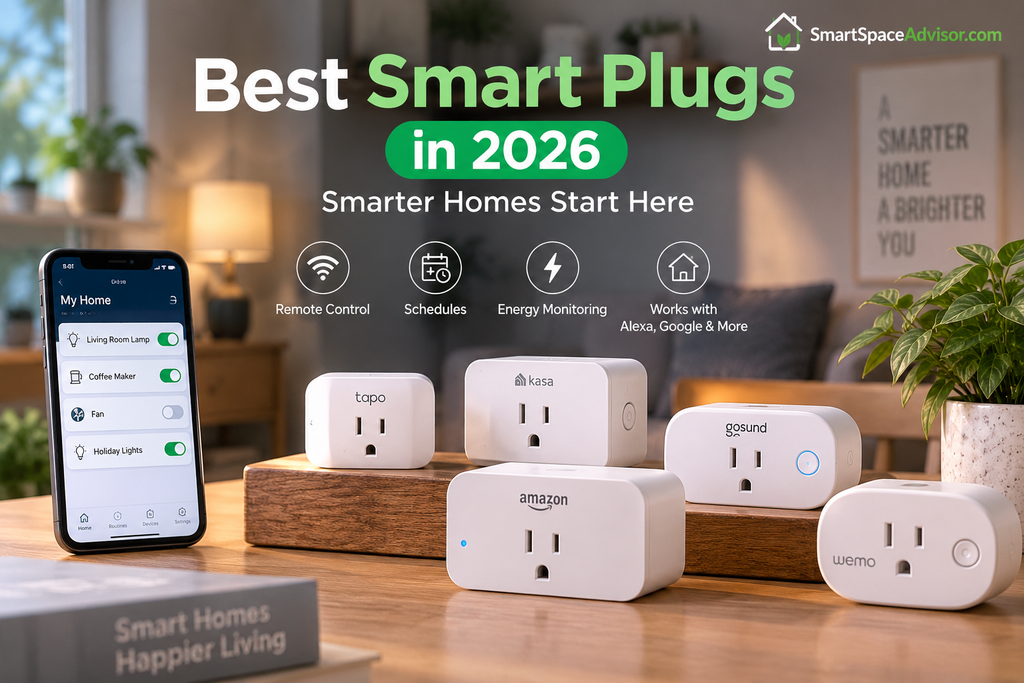
A smart plug is one of the easiest and most affordable ways to start building a smart home. Simply plug it into a standard outlet, connect it to your smart home app, and you can control compatible appliances from your phone or with your voice—without rewiring your home.
Today’s best smart plugs offer more than basic on/off control. Depending on the model, you can get features such as scheduling, energy monitoring, remote control, Matter compatibility, and support for Alexa, Google Home, Apple Home, and other smart home platforms.
Whether you want to automate your coffee maker, monitor energy usage, or control appliances while you’re away, the right smart plug can make everyday routines easier. In this guide, we compare the best smart plugs of 2026 and explain exactly what to look for before buying.
If you’re just getting started and want the full picture beyond plugs, our guide to the best budget smart home devices under $50 covers a complete starter kit — including where plugs fit into the bigger picture.
Quick Answer: Our Top Picks at a Glance
| Image | Product | Best For | Price |
|---|---|---|---|
|
1
 |
Kasa EP25 |
Best Overall Smart Plug |
$9-$12
|
|
2
 |
GE Cync Smart Plug |
Matter Compatibility |
$15-$20
|
|
3
 |
Amazon Smart Plug |
Best for Alexa Households |
$19.99
|
|
4
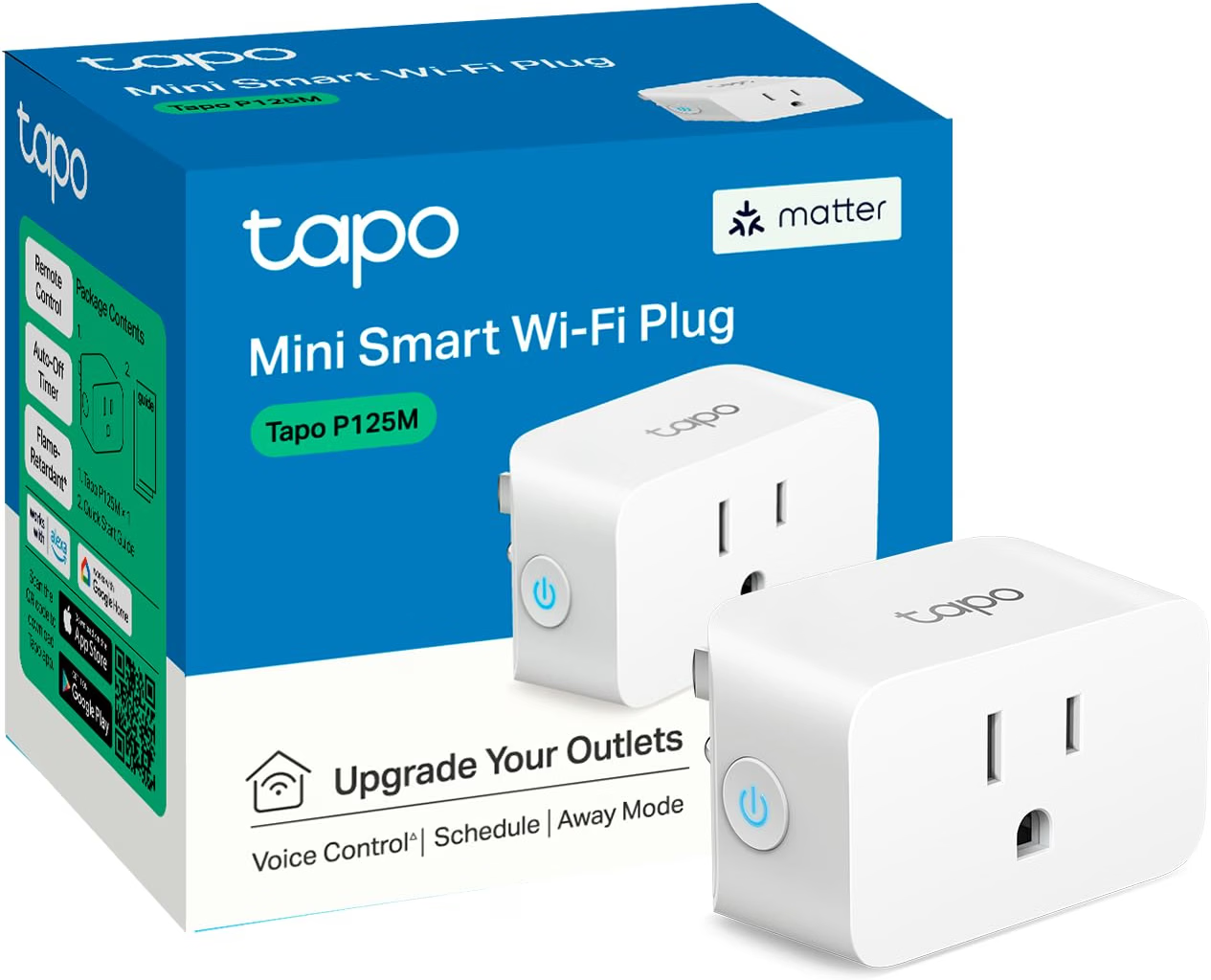 |
Tapo P125M |
Affordable Matter Plug |
$10
|
|
5
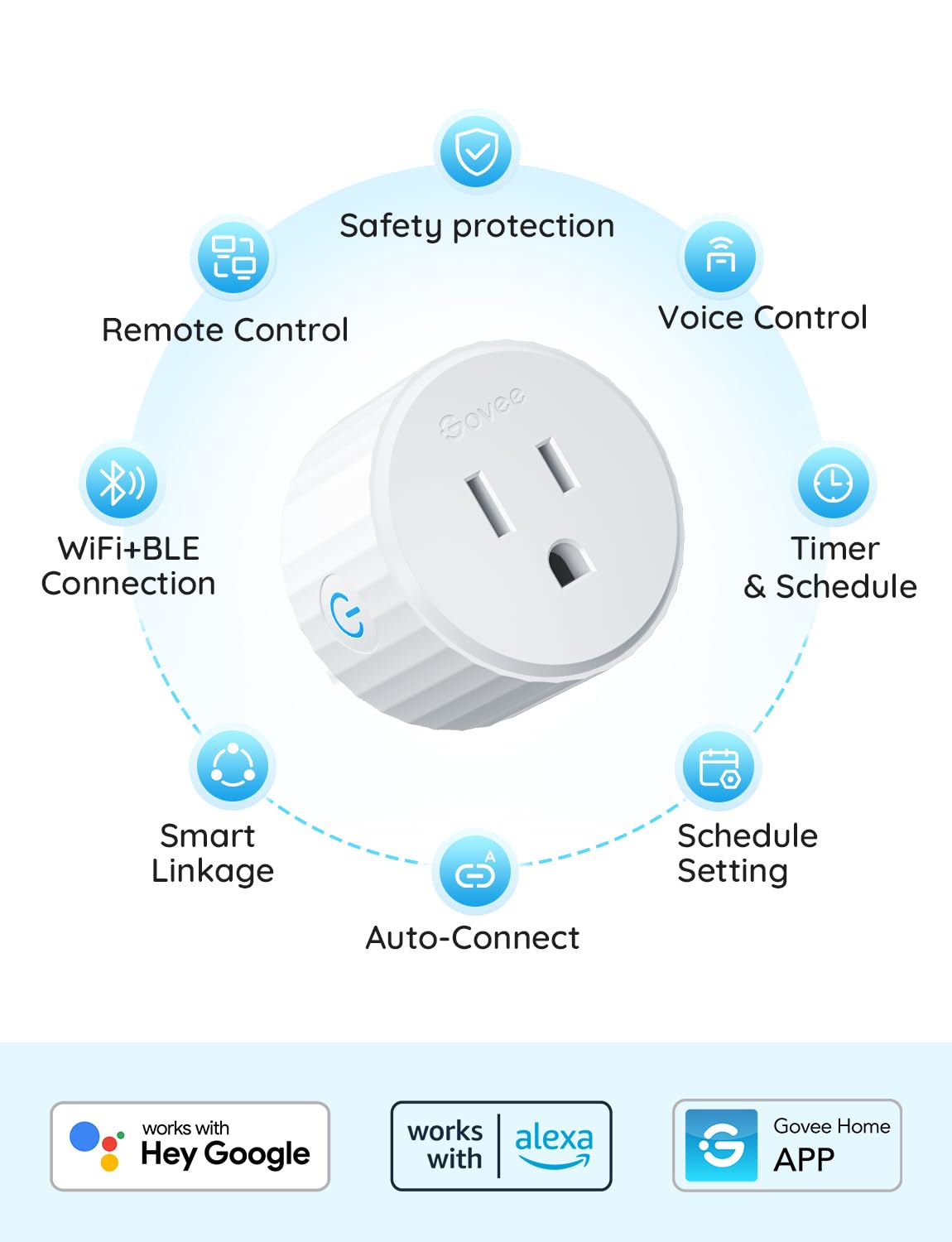 |
Govee Smart Plug |
Best Budget Pick |
$15–$18
|
|
6
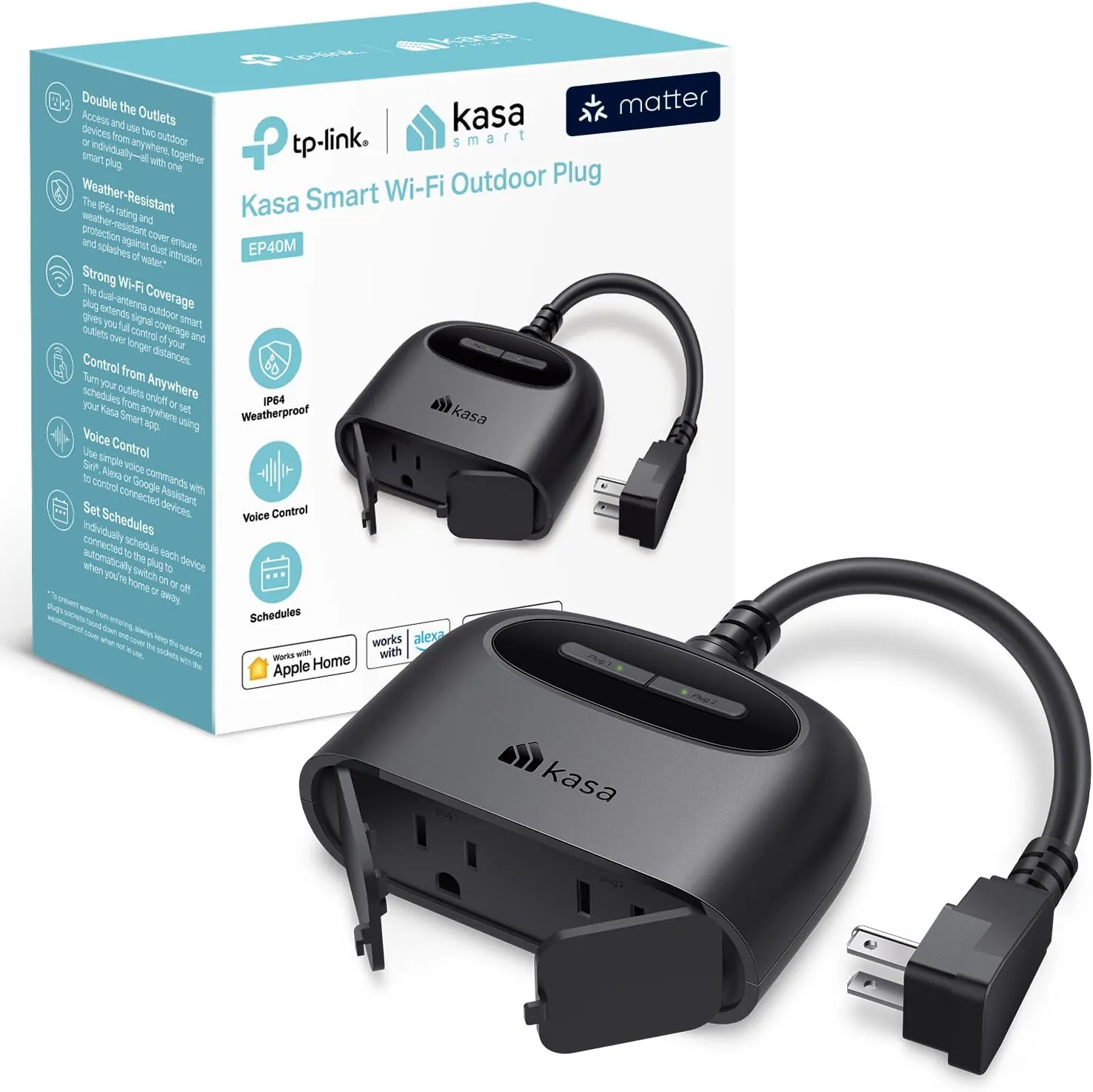 |
Kasa EP40M Outdoor Smart Plug |
Best Outdoor Option |
$29.99
|
|
7
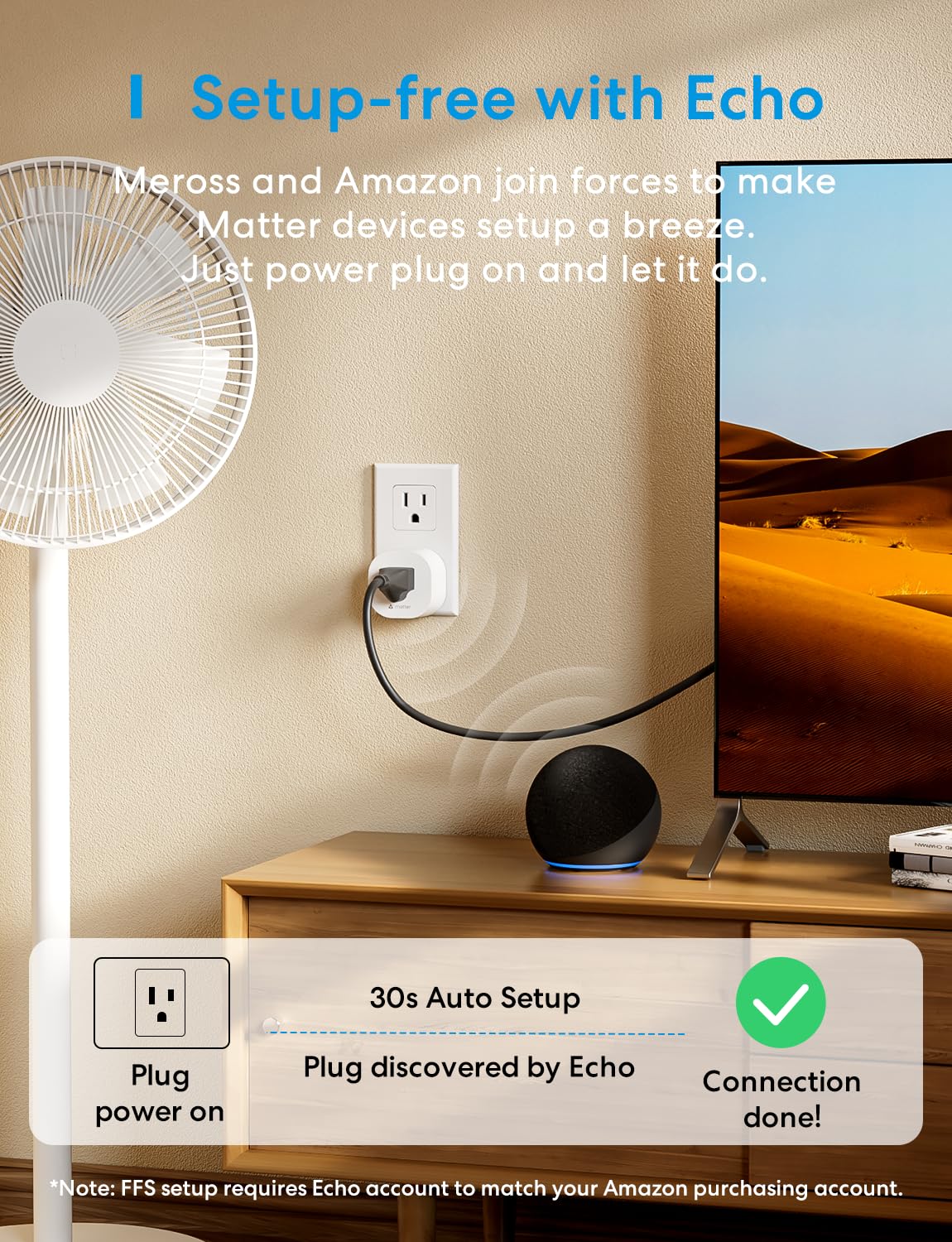 |
Meross MSS115 |
Best for Multi-Ecosystem Homes |
$14-$18
|
|
8
 |
TP-Link Tapo P115 |
Best for Energy Monitoring |
$6–$10
|
|
9
 |
Wyze Plug |
Simple Smart Control |
$14-$20
|
|
10
 |
Emporia Smart Plug |
Best For Energy Monitoring |
$12
|
What Exactly Is a Smart Plug? (And How Does It Work?)
A smart plug — sometimes called a smart outlet adapter or connected socket — is a device that slots into a standard electrical outlet and adds wireless controllability to whatever is plugged into it. The appliance itself remains entirely dumb; the intelligence lives in the adapter.
Most smart plugs connect through 2.4GHz Wi-Fi, while others use protocols such as Zigbee or Thread. Some newer plugs also support Matter, which can run over Wi-Fi or Thread depending on the device.
The practical benefit is simple: a smart plug can add scheduling, voice control, and remote control to compatible devices such as lamps, fans, humidifiers, televisions, and other suitable plug-in appliances. Always check the appliance and smart plug specifications before using automated power control, particularly with high-draw or safety-critical equipment.
How it works: A smart plug connects to your home network or compatible smart home hub and receives commands from an app, automation, or voice assistant. Depending on the model and ecosystem, those commands may be processed locally or through a manufacturer’s cloud service. Matter-compatible plugs support local communication within a compatible Matter ecosystem, while remote access and manufacturer-specific features may still require an internet connection.
If you’re building your very first smart home setup rather than just adding plugs to an existing one, see our step-by-step beginner’s guide for the full picture.
Key Features to Evaluate Before You Buy
With dozens of smart plugs flooding the market at every price point, differentiating between them requires more than a cursory glance at the star rating. Here are the six features that genuinely separate excellent smart plugs from frustrating ones.
Wi-Fi vs Zigbee vs Matter — Which Protocol Is Right for You?
This is the single most important technical decision you will make when purchasing a smart plug.
Wi-Fi plugs are the most accessible. They connect directly to your existing network — no hub required — and work immediately after a short setup process. The downside: Wi-Fi plugs add to network congestion, can be sluggish to respond when cloud servers are involved, and occasionally struggle in larger homes with weak signal coverage in certain rooms.
Zigbee plugs require a compatible hub or coordinator, but they communicate through a low-power mesh network rather than connecting directly to your Wi-Fi. In a well-designed Zigbee network, mains-powered devices can help extend the mesh and improve coverage throughout the home. Zigbee can also support local control when the hub and smart home platform allow it, although specific behavior depends on the devices and ecosystem you use.
Matter is a smart home interoperability standard designed to make compatible devices work across major ecosystems such as Apple Home, Amazon Alexa, Google Home, and Samsung SmartThings. Matter can operate over Wi-Fi, Ethernet, or Thread depending on the device. Matter-over-Thread devices require a compatible Thread border router, while Matter-over-Wi-Fi devices use your existing Wi-Fi network. Matter also supports local communication, although specific features can still depend on the manufacturer’s app or cloud services.
For a deeper look at how these standards differ, see our Matter vs Zigbee vs Z-Wave comparison.
| Pro Tip: If you’re starting with one or two devices, Wi-Fi is often the simplest option. If cross-platform compatibility is important, a Matter-certified plug can provide greater flexibility across supported smart home ecosystems. |
|---|
Energy Monitoring: A Hidden Money-Saver
Not all smart plugs monitor energy consumption — but the ones that do can pay for themselves. Energy monitoring plugs measure the wattage drawn by connected appliances in real time and log historical consumption data in the companion app.
Energy monitoring can reveal devices that consume more electricity than expected, particularly equipment that runs continuously or draws standby power. Once you know how much energy a device actually uses, you can decide whether scheduling it off, changing its settings, or replacing it would meaningfully reduce electricity consumption.
Look for plugs that display real-time wattage, historical daily and monthly usage, and estimated cost calculations based on your local electricity rate.
Scheduling and Automation Capabilities
A smart plug without robust scheduling is little more than an expensive extension cord. The best smart plugs offer granular scheduling (time of day, days of week, sunrise/sunset triggers), conditional automations (if X then Y), and integration with third-party platforms like IFTTT, Amazon Routines, and Apple Shortcuts.
Pay attention to whether schedules and automations are processed locally or depend on cloud services. Locally executed functions may continue during an internet outage as long as the required local network, hub, or controller remains available.
Compact Form Factor and Outlet-Blocking
Physical design matters more than most buyers anticipate. A smart plug that blocks the adjacent outlet in a duplex receptacle effectively halves your available sockets. The best smart plugs use a rotated or recessed blade design that preserves access to both outlets. Always check product dimensions and user photos before purchasing.
Voice Assistant Compatibility
Matter-certified plugs can simplify cross-platform compatibility, but you should still confirm that the specific plug and its features are supported by your preferred ecosystem.
App Quality and Reliability
App quality can significantly affect the everyday experience of using a smart plug. Look for clear scheduling controls, responsive device management, useful grouping features, regular software updates, and straightforward account management. Before buying, check recent app-store reviews and manufacturer support documentation, especially if important features depend on cloud services.
Our Top 10 Best Smart Plugs of 2026 — Ranked and Reviewed
We compared current manufacturer specifications, platform compatibility, safety information, energy-monitoring features, pricing, and common owner feedback to identify smart plugs suited to different households and use cases.
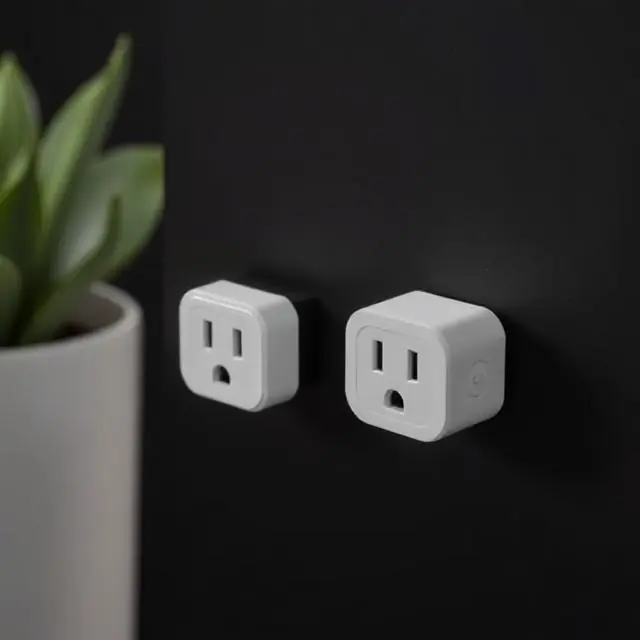
1. Kasa EP25 — Best Overall Smart Plug
| Price: ~$9–$12 per plug (2-pack ~$18–$24) | Protocol: Wi-Fi 2.4GHz | Works with: Apple Home/Siri, Alexa, Google Home, SmartThings |
|---|
The Kasa EP25 is a strong all-round option for buyers who want smart control and energy monitoring without paying a premium. Its combination of broad ecosystem compatibility, useful monitoring features, and compact design makes it particularly suitable as a first smart plug.
The EP25 connects directly to 2.4GHz Wi-Fi without requiring a separate hub. Setup is handled through the Kasa app, which also provides schedules, timers, remote control, and device management.
Energy monitoring is one of the EP25’s most useful features. The Kasa app can provide real-time and historical electricity-consumption information, helping you understand how much energy compatible connected devices are using. According to TP-Link’s official EP25 specifications, the plug supports real-time and historical energy monitoring.
The compact housing is designed to preserve access to the neighboring outlet in a standard duplex receptacle. The EP25 also supports Apple Home/Siri, Alexa, Google Home, and SmartThings, making it a flexible option for households using different smart-home platforms.
Read our Kasa vs Gosund Smart Plugs Comparison.
| Best for: First-time smart home buyers, energy-conscious households, anyone wanting maximum reliability at minimum cost. |
|---|
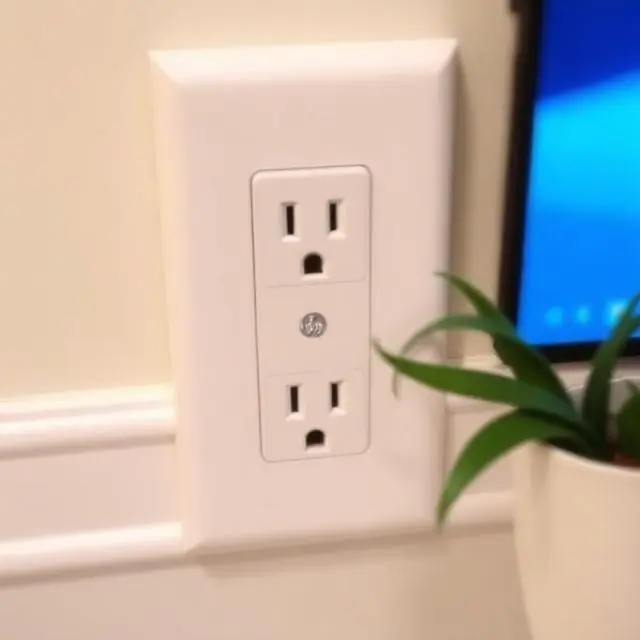
2. GE Cync Smart Plug — Best Matter-Certified Option
| Price: ~$15-$20 | Protocol: Matter over Wi-Fi | Works with: Alexa, Google Home, Apple HomeKit, SmartThings |
|---|
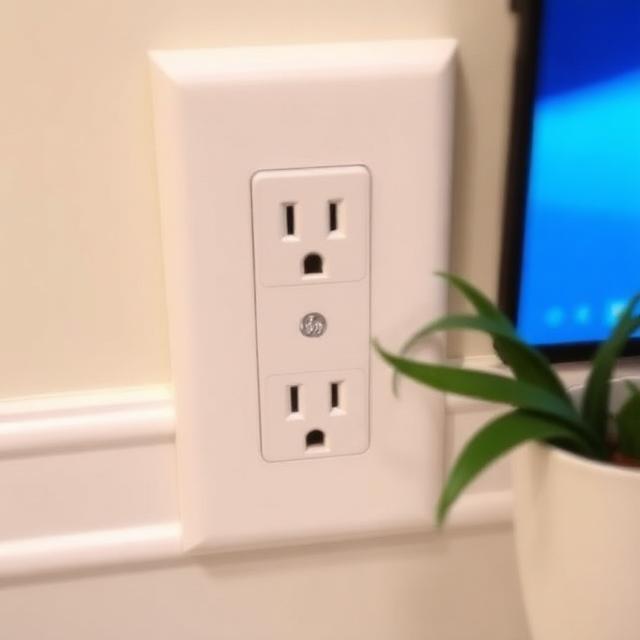
The GE Cync Indoor Smart Plug is a strong option for households that want Matter compatibility across multiple smart home platforms. The current Matter-compatible version works with Apple Home, Amazon Alexa, Google Home, and Samsung SmartThings, reducing the need to choose a plug around a single ecosystem.
Cync uses Matter over Wi-Fi rather than Thread, so the plug connects through your existing Wi-Fi network. Matter control requires a compatible Matter controller in your chosen ecosystem, while Cync also provides its own app-based setup and controls.
The plug supports loads up to 15A/1800W and uses a compact single-outlet design. It does not include energy monitoring, so buyers primarily interested in electricity-consumption data should consider alternatives such as the Kasa EP25, Tapo P115, or an energy-monitoring Meross model.
Its main advantage is cross-platform flexibility rather than advanced power-monitoring features, making it particularly useful in homes that already use devices from more than one smart home ecosystem.
| Best for: Multi-ecosystem households, Apple HomeKit users, anyone investing in a long-term smart home build. |
|---|
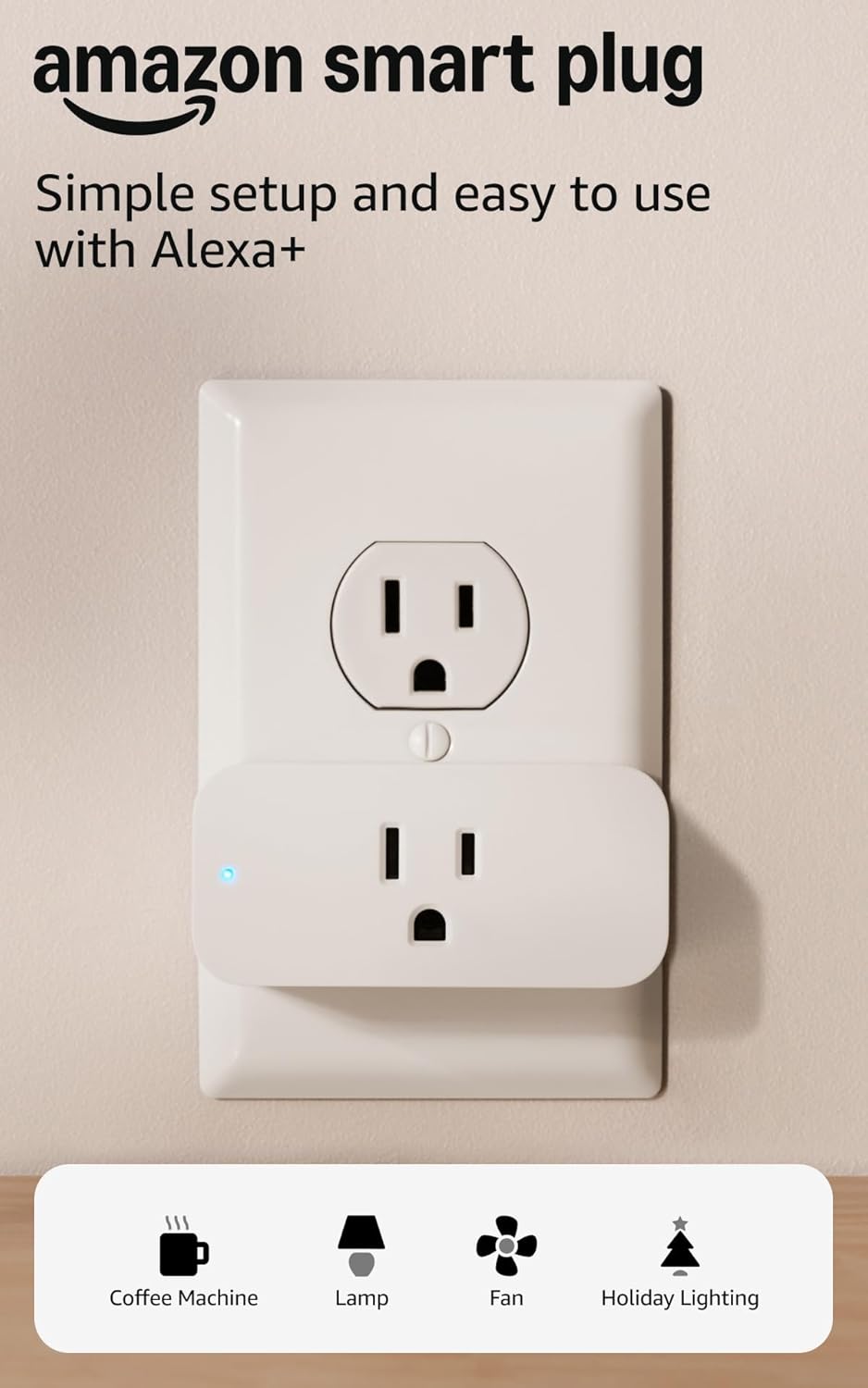
3. Amazon Smart Plug — Best for Alexa Households
| Price: ~$19.99 | Protocol: Wi-Fi 2.4GHz | Works with: Alexa (optimized) |
|---|
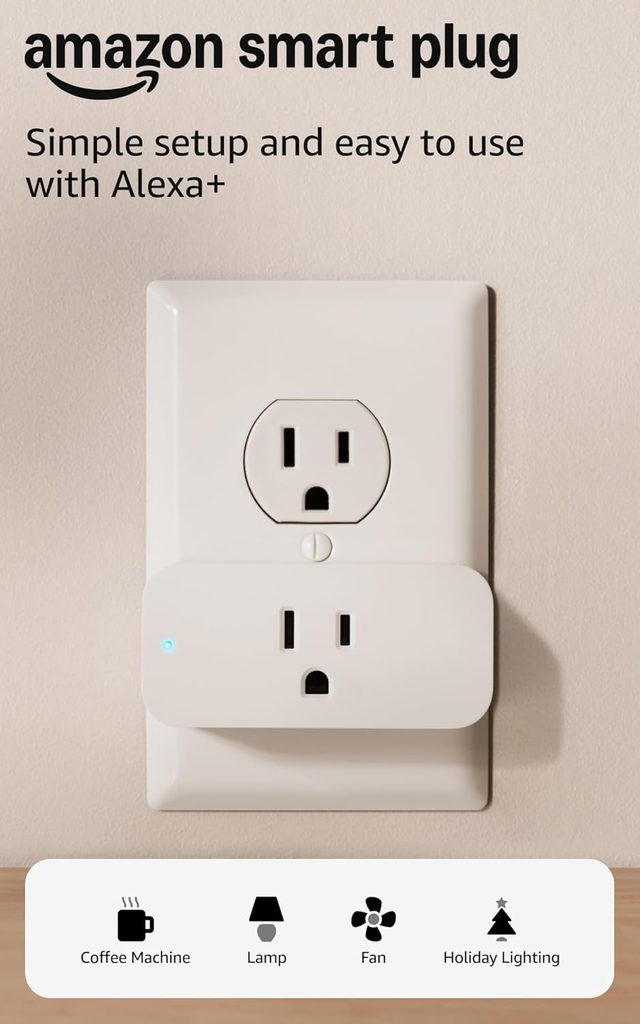
The Amazon Smart Plug is designed primarily for households already using Alexa. Setup and control are integrated closely with the Alexa ecosystem, making it a straightforward option for users who want to add lamps, fans, and other compatible appliances to Alexa routines and voice control.
Its biggest strength is simplicity within an Alexa-focused home. You can control the plug through the Alexa app, include it in routines, create schedules, and operate it with compatible Echo devices without managing a separate third-party smart home ecosystem.
The trade-off is limited platform flexibility. The Amazon Smart Plug is built around Alexa rather than Matter or broad multi-platform compatibility, and it does not provide energy monitoring. Buyers using Apple Home, Google Home, or multiple ecosystems should consider a Matter-compatible alternative instead.
| Best for: Alexa-first households who want the simplest possible setup experience. |
|---|
4. Tapo P125M — Best Affordable Matter Smart Plug
| Protocol: Matter over Wi-Fi | Works with: Apple Home/Siri, Alexa, Google Home, SmartThings |
|---|
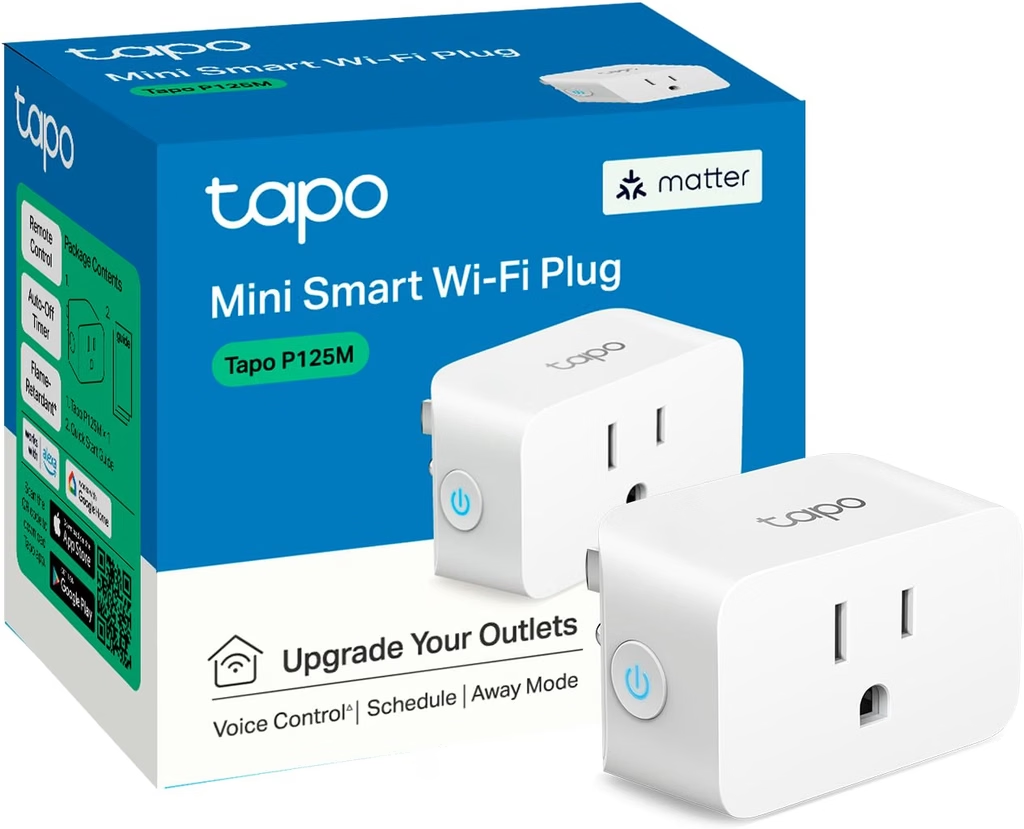
The Tapo P125M is a strong choice for buyers who want Matter compatibility without moving into a premium price tier. It connects over 2.4GHz Wi-Fi and can be added to major Matter ecosystems, giving mixed-platform households considerably more flexibility than a conventional single-ecosystem plug.
Its compact housing is designed to avoid blocking the adjacent outlet, while the Tapo app provides scheduling, auto-off, Away Mode and remote control. Matter also enables local control through compatible platforms after setup, although remote access and some manufacturer-specific functions can still depend on your network or platform.
New to the standard? Our guide to what Matter is and how it works explains the technology in more detail.
The P125M is rated for up to 15A/1800W general resistive loads in the U.S. and carries UL certification. Unlike Tapo’s energy-monitoring models, however, the P125M’s main advantage is Matter interoperability rather than detailed electricity tracking.
Best for: Buyers who want an inexpensive Matter-compatible plug for Apple Home, Alexa, Google Home or SmartThings.
5. Govee Smart Plug — Best Budget Pick
| Price: ~$15–$18 per plug | Protocol: Wi-Fi 2.4GHz | Works with: Alexa, Google Home |
|---|
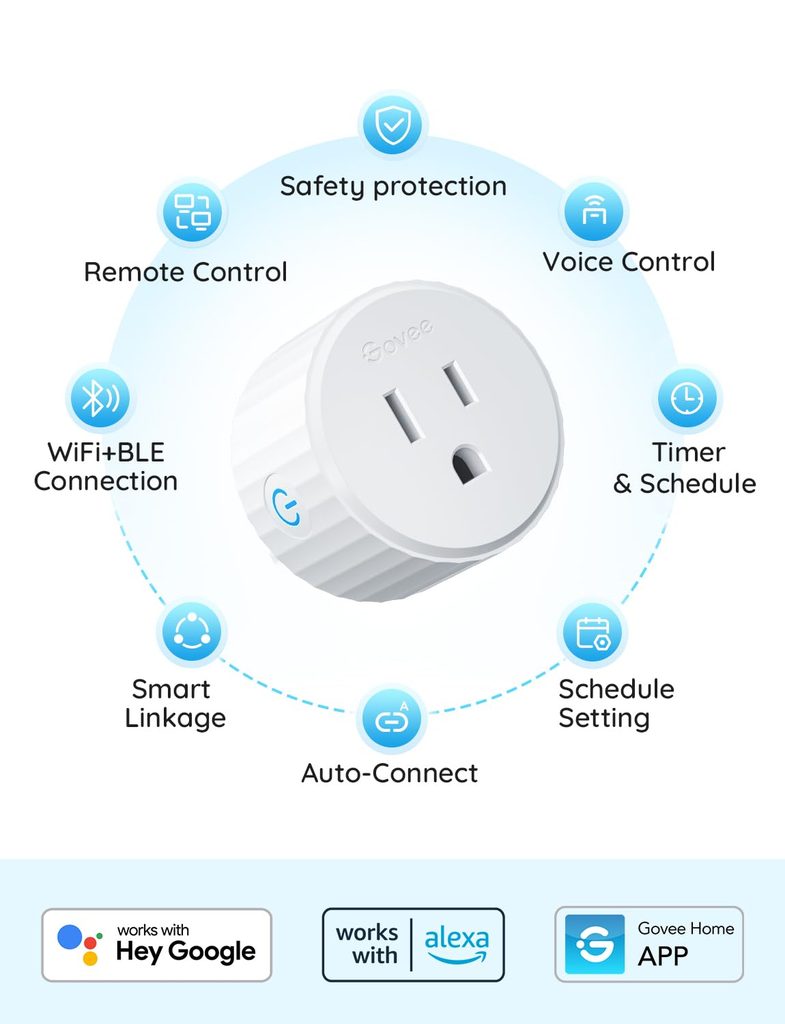
Govee sells several smart plug models and multi-packs, so features and pricing can vary by exact SKU. They can be particularly attractive for households already using Govee lighting or other Govee smart-home products because compatible devices can be managed through the same app.
Depending on the model, common features can include schedules, timers, grouping, and Alexa or Google Home integration. Multi-packs can also reduce the cost per outlet when you want to automate several lamps, fans, holiday decorations, or other compatible devices.
Because specifications vary across Govee smart plugs, confirm the exact model’s platform compatibility, electrical rating, safety certification, and whether features such as energy monitoring or Matter support are included before purchasing.
| Best for: Existing Govee households and buyers looking for affordable multi-pack options. |
|---|
6. Kasa EP40M — Best Outdoor Smart Plug
| Price: ~$29.99 | Protocol: Matter over Wi-Fi | Works with: Apple Home, Alexa, Google Home, SmartThings | Weather resistance: IP64 |
|---|

The Kasa EP40M brings Matter compatibility to an outdoor smart plug with two independently controllable outlets. That combination makes it well suited to outdoor lighting, holiday decorations, fountains, and other compatible outdoor equipment that benefits from separate schedules.
Its IP64-rated enclosure is designed to resist dust and water splashes, while TP-Link specifies an operating range of -4°F to 122°F (-20°C to 50°C). The two outlets can be controlled independently, allowing different schedules or timers for each connected device. TP-Link’s official EP40M specifications confirm its IP64 weather-resistance rating and operating range of -4°F to 122°F (-20°C to 50°C).
Matter support expands compatibility to Apple Home, Amazon Alexa, Google Home, and Samsung SmartThings, while the Kasa app provides remote control and scheduling. The EP40M supports loads up to 15A/1875W for resistive loads, but connected equipment should always remain within TP-Link’s specified load limits and outdoor-use instructions.
| Best for: Outdoor lighting, garden automation, patio entertainment setups, holiday decorations. |
|---|
7. Meross MSS115 — Best for Multi-Ecosystem Homes
| Price: ~$17–$18 per plug (2-pack ~$34.99) | Protocol: Matter over Wi-Fi | Works with: Apple Home, Alexa, Google Home, SmartThings |
|---|
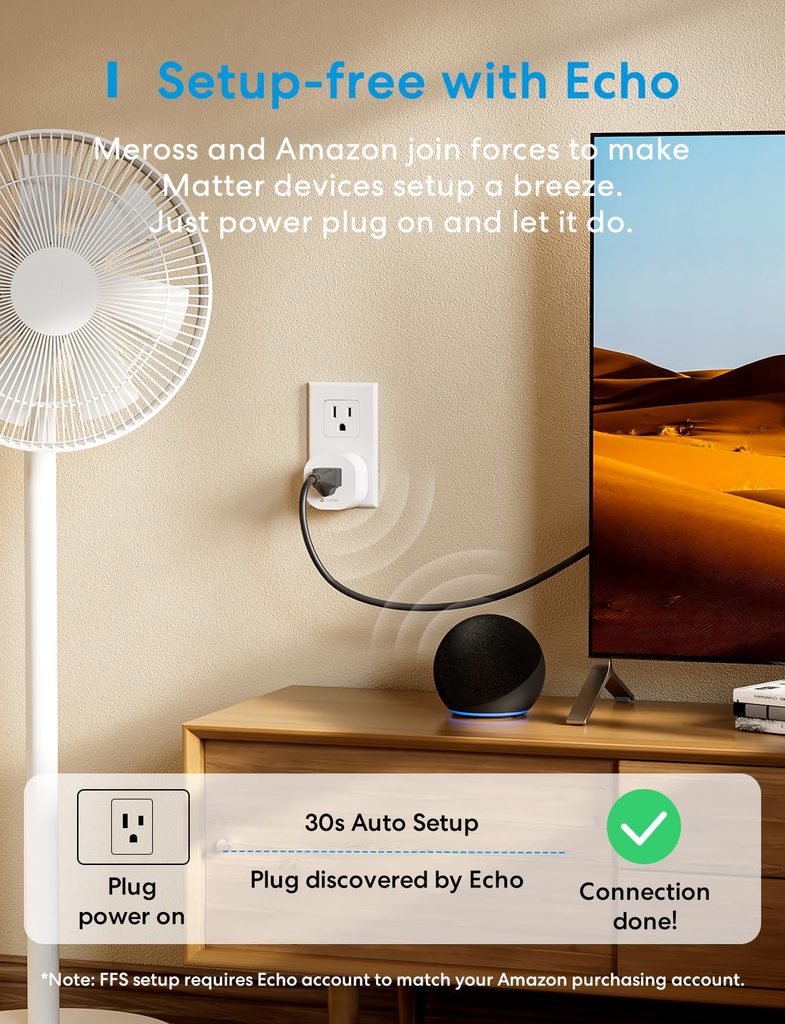
The Meross MSS115 is designed for households that use more than one smart home platform. Its Matter support allows it to work with major ecosystems including Apple Home, Amazon Alexa, Google Home, and Samsung SmartThings, reducing the need to commit to a single platform.
The MSS115 uses Matter over 2.4GHz Wi-Fi rather than Thread. A compatible Matter controller is required when setting it up with major platforms such as Apple Home, Alexa, Google Home, or SmartThings. Matter’s multi-admin capability also allows the plug to be shared across multiple compatible ecosystems.
Its compact design makes it suitable for standard indoor outlets, and Meross provides scheduling and timer controls alongside Matter-based smart home control. One important limitation is that the MSS115 does not offer the energy-monitoring feature found on Meross’s MSS315, so buyers who prioritize detailed electricity tracking should choose an energy-monitoring model instead.
| Best for: Households with mixed voice assistant ecosystems, Matter early adopters on a budget. |
|---|
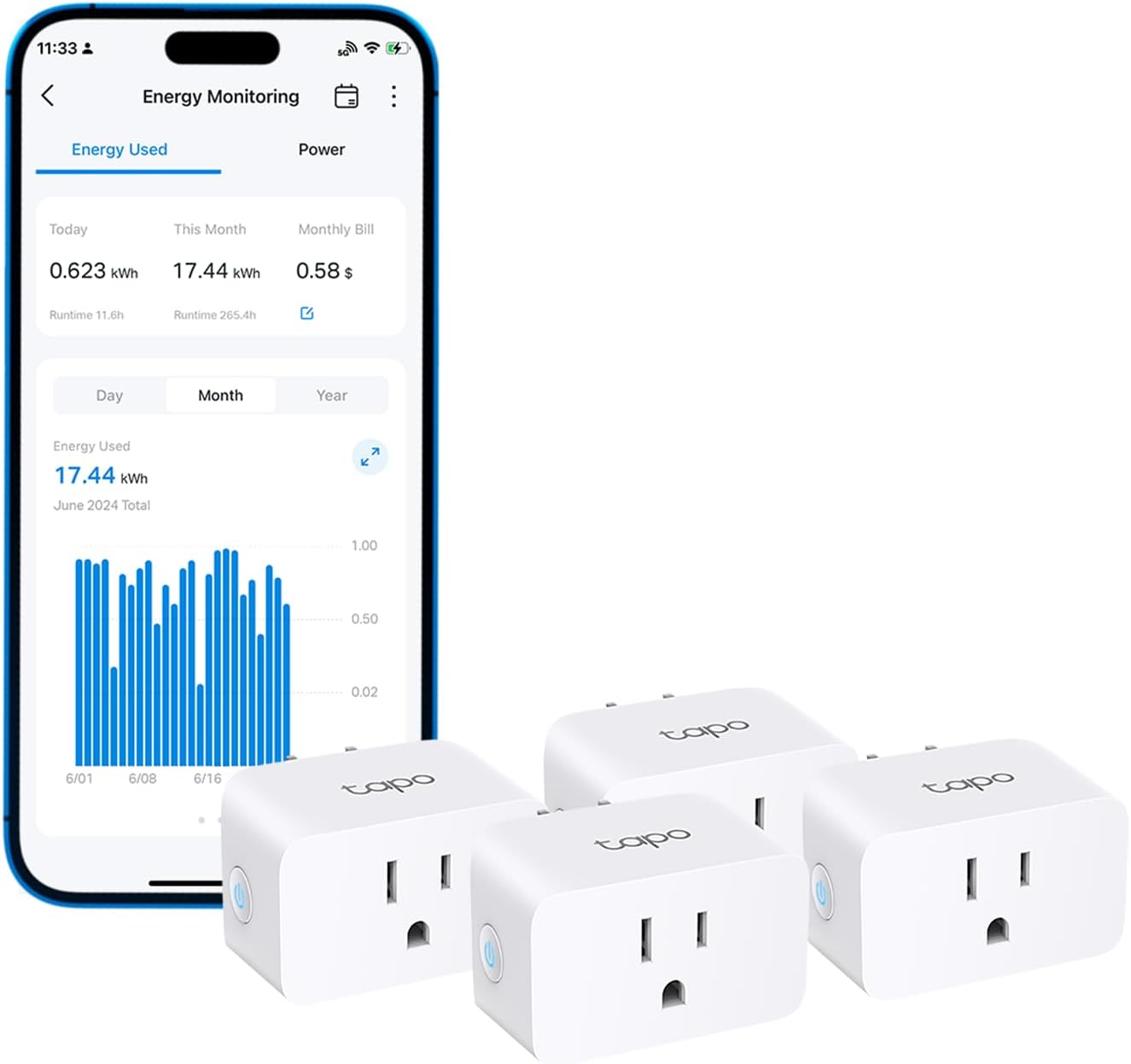
8. TP-Link Tapo P115 — Best Energy Monitoring Smart Plug Under $10
| Price: ~$6–$10 per plug | Protocol: Wi-Fi 2.4GHz | Works with: Alexa, Google Home |
|---|
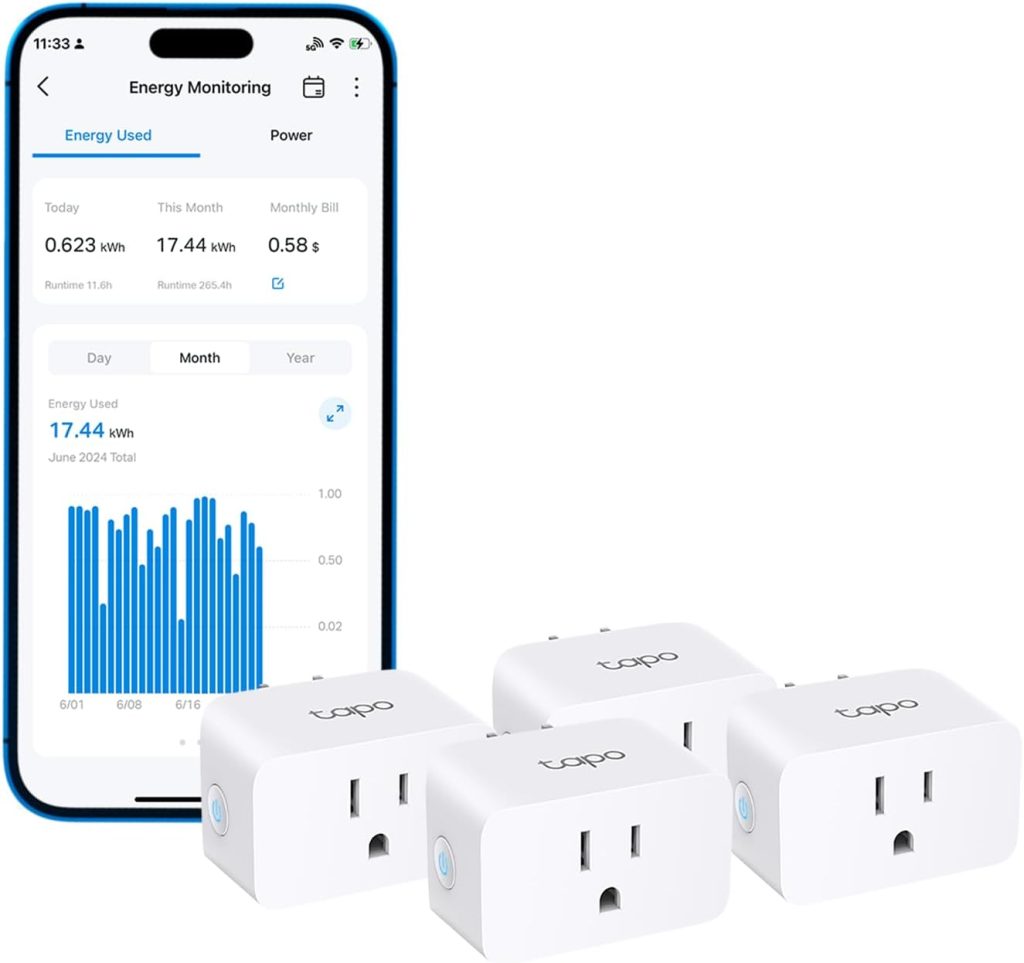
The Tapo P115 is one of the strongest choices in this guide for buyers who specifically want detailed energy monitoring. Through the Tapo app, it can track real-time power draw, historical electricity consumption, and estimated energy costs based on the electricity rate you enter.
Its energy-monitoring tools also include usage graphs and power-protection features. You can configure the plug to shut off when power consumption exceeds a specified threshold, adding another layer of protection for compatible connected devices.
Beyond energy tracking, the P115 supports schedules, timers, Away Mode, remote control, and voice control through Alexa and Google Assistant. Its compact design also helps preserve access to the neighboring outlet.
| Best for: Buyers who want detailed energy monitoring and electricity-cost tracking without paying for a premium smart plug. |
|---|
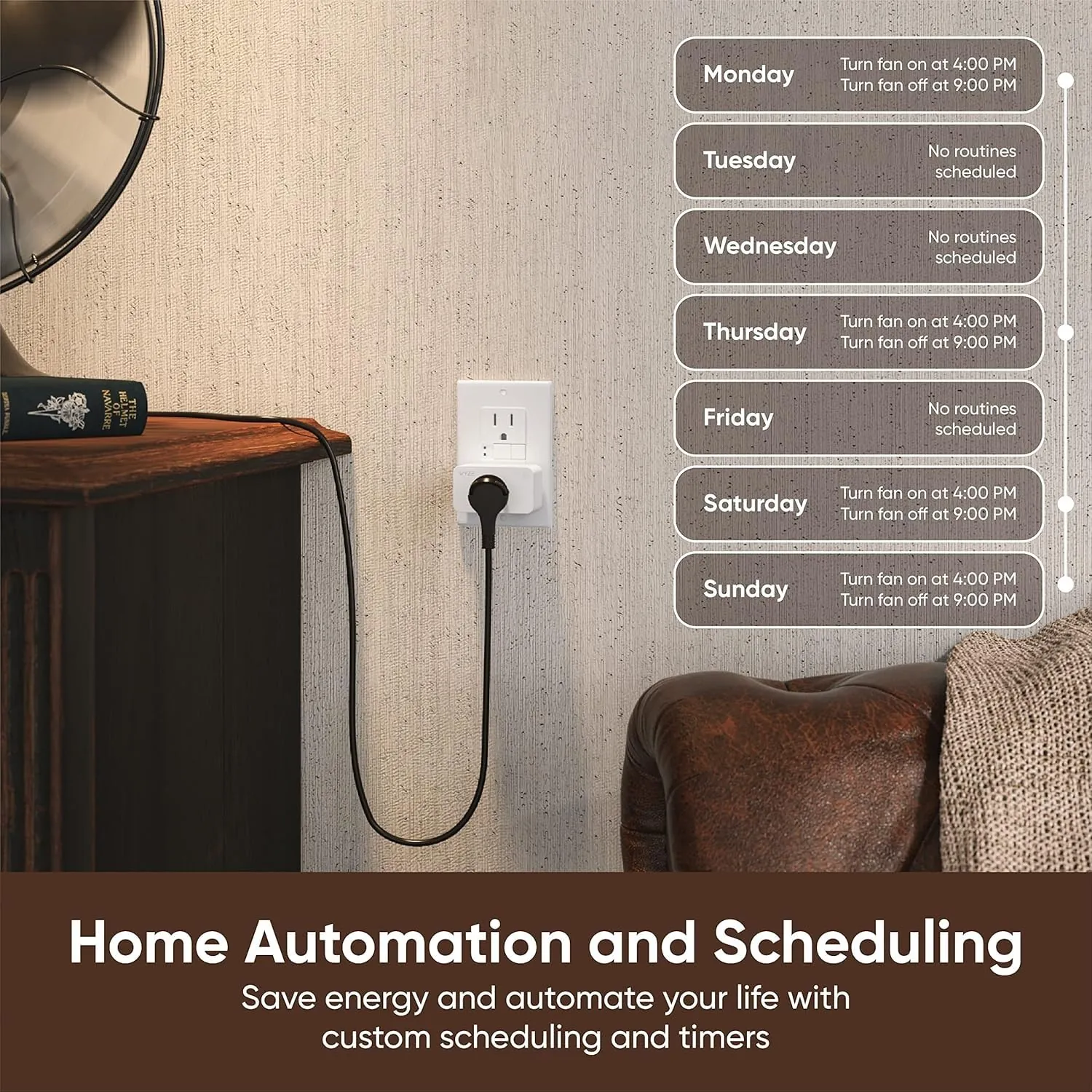
9. Wyze Plug — Simplest Smart Plug
| Price: ~$15 per plug (2-pack ~$29.98) | Protocol: Wi-Fi 2.4GHz | Works with: Alexa, Google Assistant, IFTTT |
|---|
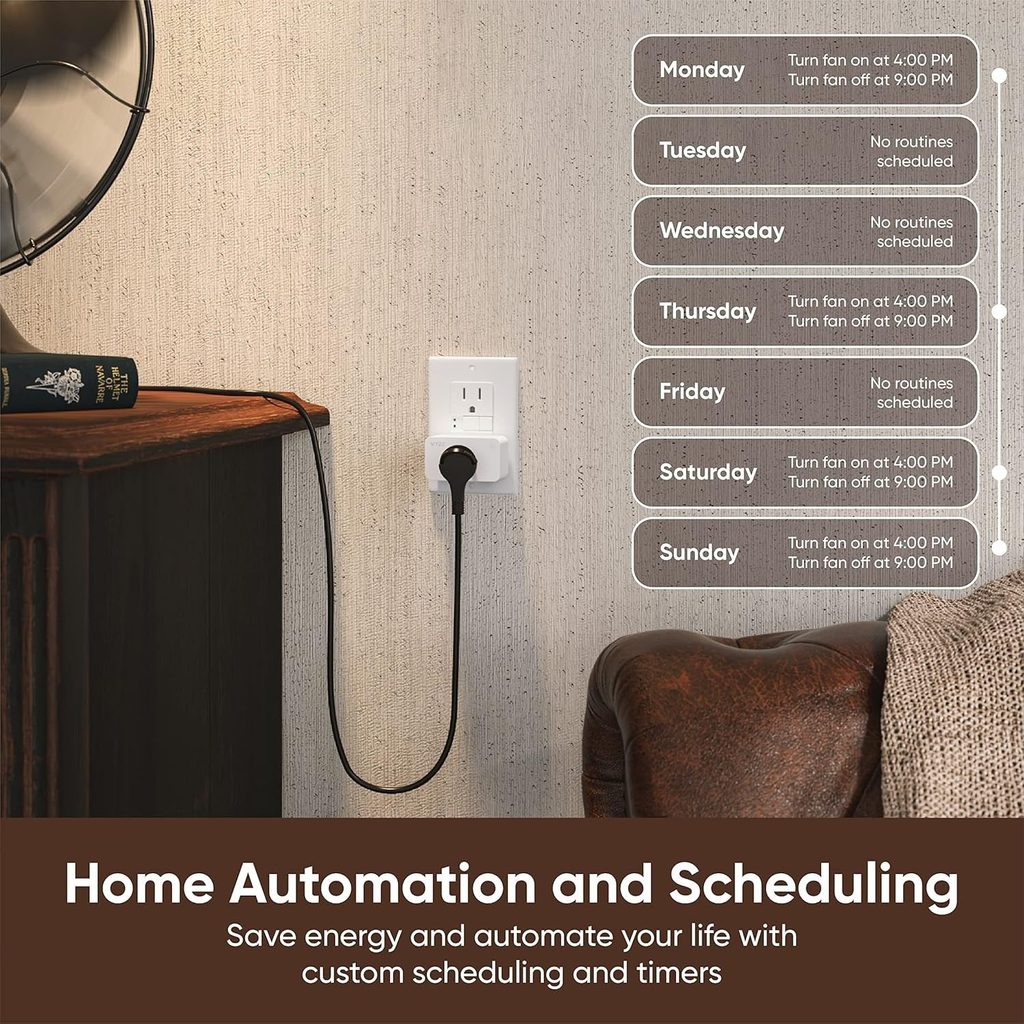
The Wyze Plug keeps things straightforward: app-based remote control, schedules, automations, and voice control without adding unnecessary complexity. It’s especially appealing to households that already use other Wyze devices and want their plugs managed through the same app.
Vacation Mode is one of its more useful features for lamps. When enabled, the plug can switch connected lighting on and off at varying intervals to help create the appearance that someone is home while you’re away.
The Wyze Plug does not provide energy monitoring, so it isn’t the right choice if electricity tracking is a priority. For basic control of lamps, fans, and other compatible indoor devices, however, its simple feature set covers the essentials.
| Best for: Straightforward control of lamps, fans, and other compatible indoor devices, especially in existing Wyze households. |
|---|
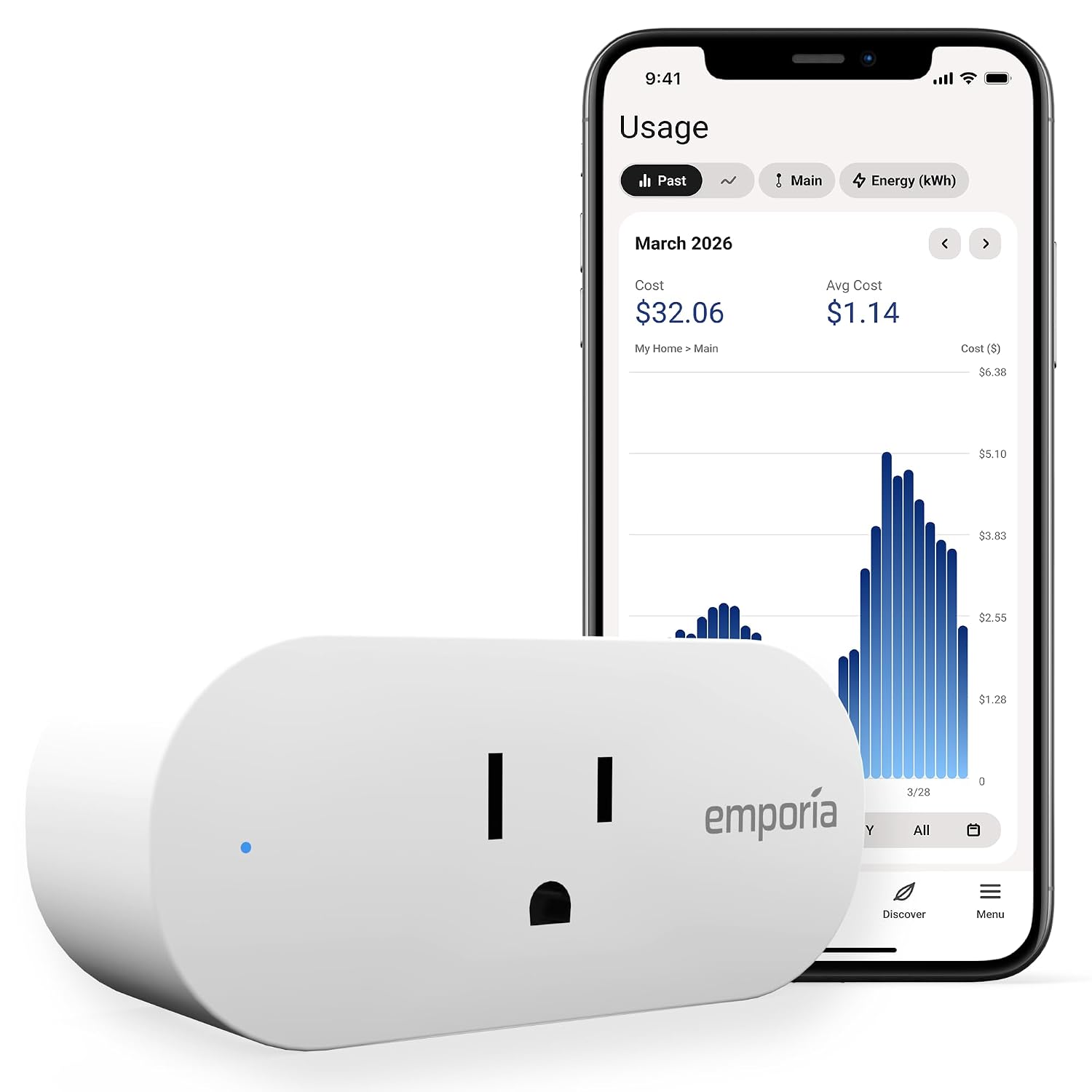
10. Emporia Smart Plug — Best for Energy-Monitoring Households
| Price: ~$12 | Protocol: Wi-Fi 2.4GHz | Works with: Alexa, Google Home |
|---|

The Emporia Smart Plug is particularly useful for households that want detailed appliance-level electricity data. It measures real-time power draw, voltage, and cumulative energy consumption while also providing normal smart-plug controls through the Emporia Energy app.
Its biggest advantage appears when used alongside an Emporia Vue home energy monitor. The smart plug can add appliance-level information to a broader household energy-monitoring setup, making it easier to understand how individual plug-in devices contribute to overall electricity consumption.
You don’t need an Emporia Vue monitor to use the plug. As a standalone device, it still provides energy monitoring, schedules, remote on/off control, and Alexa or Google Home voice integration. The broader Emporia ecosystem simply makes it more useful for households already tracking whole-home electricity consumption.
| Best for: Households that prioritize detailed energy monitoring, especially existing Emporia Vue users. |
|---|
Smart Plug Comparison Table: Side-by-Side at a Glance
| Smart Plug | Protocol | Energy Monitor | Ecosystems | Best For |
|---|---|---|---|---|
| Kasa EP25 | Wi-Fi | Yes | Apple Home, Alexa, Google Home, SmartThings | Best Overall |
| GE Cync | Matter over Wi-Fi | No | Apple Home, Alexa, Google Home, SmartThings | Matter Compatibility |
| Amazon Smart Plug | Wi-Fi | No | Alexa Only | Alexa Households |
| Tapo P125M | Matter over Wi-Fi | No | Apple Home, Alexa, Google Home, SmartThings | Affordable Matter |
| Govee Smart Plug | Wi-Fi | No | Alexa, Google Home* | Best Budget |
| Kasa EP40M | Matter over Wi-Fi | No | Apple Home, Alexa, Google Home, SmartThings | Outdoor Use |
| Meross MSS115 | Matter over Wi-Fi | No | Apple Home, Alexa, Google Home, SmartThings | Multi-Ecosystem |
| Tapo P115 | Wi-Fi | Yes | Alexa, Google Home | Energy Monitoring |
| Wyze Plug | Wi-Fi | No | Alexa, Google Assistant, IFTTT | Simple Smart Control |
| Emporia Smart Plug | Wi-Fi | Yes | Alexa, Google Home | Energy Monitoring |
Govee features and compatibility vary by exact smart-plug model. Check the specific model before purchasing.
How to Set Up a Smart Plug: Step-by-Step
Setup varies slightly by brand and model, but most Wi-Fi smart plugs follow a similar process. Always follow the manufacturer’s instructions for your specific plug.
Step 1: Download the Companion App
Before plugging in the device, download the manufacturer’s app on your smartphone. Create an account if prompted. Kasa, Govee, Wyze, and Tapo each have dedicated apps available on iOS and Android.
Step 2: Plug In the Device
Insert the smart plug into a suitable wall outlet and follow the manufacturer’s instructions to place it in pairing mode. LED colors and reset procedures vary by model, so check the app or product manual if the plug is not detected.
Step 3: Follow the In-App Setup Wizard
Open the manufacturer’s app and select the option to add a new device. Follow the on-screen instructions to connect the plug to your home network. Many smart plugs use 2.4GHz Wi-Fi, although setup methods and network requirements vary by model.
Step 4: Name Your Device
Assign a descriptive, room-specific name: ‘Living Room Lamp,’ ‘Bedroom Fan,’ or ‘Kitchen Coffee Maker.’ This name is what you will use for voice commands, so make it natural and memorable.
Step 5: Connect to Your Voice Assistant
If you want voice or smart-home-platform control, follow the manufacturer’s instructions to add the plug to Alexa, Google Home, Apple Home, SmartThings, or another supported ecosystem. The process varies: some devices use account linking, while Matter-compatible plugs may be commissioned using a Matter QR or setup code.
Step 6: Create Your First Schedule or Automation
Navigate to the scheduling section of your app and set your first timer — perhaps turning off the bedroom lamp at 11pm automatically, or switching on the coffee maker at 7am. This single automation will immediately demonstrate the transformative value of smart home technology.
Smart Plug Automation Ideas That Will Change Your Daily Routine
The true value of a smart plug reveals itself not in manual control, but in intelligent automation. Here are eleven practical ideas to consider:
- Morning Coffee Routine: If your coffee maker’s manufacturer permits use with an external timer or smart plug, schedule it to switch on shortly before you wake up. Not every coffee maker is suitable for unattended or externally switched operation.
- Sleep Timer for Entertainment: Set your television or speakers to automatically switch off 30 minutes after your typical bedtime, preventing the familiar scenario of waking up to a running TV at 3am.
- Standby Energy Check: Use an energy-monitoring smart plug to measure the standby consumption of compatible electronics. If the device manufacturer permits external power switching, you can then decide whether a schedule would produce worthwhile savings.
- Vacation Security Mode: Enable Wyze’s vacation mode or build a custom random-on/off routine that simulates occupancy while you’re away, deterring opportunistic intruders.
- Sunrise/Sunset Lamps: Automate outdoor lights and porch lamps to activate at sunset and deactivate at sunrise — no manual adjustment required as daylight hours shift through the seasons.
- Plant-Watering Reminder or Automation: A compatible low-power watering device may be scheduled with a smart plug if its manufacturer permits external power control. For pumps or outdoor equipment, verify the electrical load, environmental rating, and unattended-use requirements first.
- Off-Peak Energy Scheduling: If your utility offers time-of-use pricing, use a compatible smart plug to schedule suitable devices during lower-cost periods. Always confirm that both the appliance manufacturer and smart-plug manufacturer permit automated switching for that load.
- Desk Setup One-Touch Power: Group your monitor, speakers, and desk lamp under a single smart plug scene. One voice command or app tap powers your entire workspace on or off simultaneously.
- Bedroom Wind-Down Routine: At 9:30pm, trigger a routine that dims your smart lights, activates a white noise machine via smart plug, and switches off the television — a complete sleep hygiene sequence from a single automation.
- Monitor Appliance Energy Use: Connect a compatible appliance to an energy-monitoring plug to compare its electricity consumption across different operating periods and identify unusually high usage.
- Holiday Light Automation: Connect exterior holiday lights to a smart plug scheduled to illuminate at sunset and switch off at midnight, eliminating manual on/off management entirely.
Common Smart Plug Mistakes to Avoid
Exceeding the Rated Load
Every smart plug has specific electrical load limits, and those limits vary by model. Never exceed the manufacturer’s rated maximum or continuous load. High-draw heating, cooling, and motor-driven appliances may have additional restrictions even when their stated wattage appears to fall within a plug’s headline rating. Before connecting such equipment, confirm that both the appliance manufacturer and smart-plug manufacturer permit the intended use.
Connecting to a 5GHz Wi-Fi Network
Most smart plugs use 2.4GHz Wi-Fi, although network requirements vary by model. Setup can fail when a plug that requires 2.4GHz is being paired on an incompatible network or when router settings interfere with onboarding. Check the manufacturer’s Wi-Fi requirements if pairing fails.
Ignoring App Update Notifications
Smart home manufacturers periodically push firmware updates that address security vulnerabilities, improve responsiveness, and add new features. Neglecting these updates leaves your devices exposed to known exploits. Enable automatic updates where the option is available.
Buying No-Name Brands Without Research
Price alone shouldn’t determine which smart plug you buy. Prioritize manufacturers that provide clear electrical specifications, appropriate safety certification, current support documentation, firmware updates, and an identifiable support channel. Also check whether important functions depend on cloud services and what functionality remains available if internet access is interrupted.
Using Smart Plugs with Dimmer Switches
Plugging a lamp connected to a smart plug into a wall outlet that is already controlled by a dimmer switch creates a conflict that can damage both the plug and the lamp. Smart plugs require a direct, unmodified power source. Use them with standard, non-dimmer outlets only.
Smart Plugs vs Smart Switches: Which Do You Actually Need?
| Factor | Smart Plug | Smart Switch |
|---|---|---|
| Installation | Plug in — done | Requires wiring, neutral wire often needed |
| Cost | $10–$35 | $25–$60 |
| Renter-Friendly | Yes — no modifications required | No — modifies electrical fixtures |
| Controls | Any plug-in appliance | Hardwired ceiling lights and fans |
| Portability | Move between outlets freely | Permanent installation |
| Energy Monitoring | Available on select models | Available on select models |
| Best For | Lamps, fans, appliances, electronics | Ceiling lights, ceiling fans, hardwired fixtures |
The answer is usually both. Use smart plugs for any device with a standard power cord. Use smart switches for ceiling-mounted fixtures that are hardwired into your home’s electrical system. They are complementary technologies rather than competing alternatives.
Browse more of our smart plugs and switches reviews for additional picks and comparisons.
Frequently Asked Questions
Can smart plugs work without internet?
Yes, some smart plugs can retain basic local functionality without an internet connection. Matter-compatible plugs are designed to support local communication through a compatible Matter ecosystem, whether they use Wi-Fi or Thread. However, manufacturer-specific features, remote access, notifications, and some automations may still require internet or cloud connectivity. Traditional Wi-Fi smart plugs vary by brand and model.
Are smart plugs a fire hazard?
Reputable smart plugs that carry appropriate electrical safety certification and are used within their specified load limits are designed for normal household use. In the U.S., look for certification from a recognized testing laboratory such as UL or ETL. FCC compliance relates primarily to radio-frequency and electromagnetic requirements and should not be treated as a substitute for electrical safety certification. Never exceed the manufacturer’s rated load, and follow any appliance-specific restrictions.
Do smart plugs use electricity when on standby?
Yes. Smart plugs consume a small amount of electricity to maintain their wireless connection and electronics, although the exact amount varies by model and operating state. For example, Emporia specifies less than 1 watt for its North American Smart Plug. Whether a smart plug produces a net energy saving depends on the standby consumption of the connected device and how the plug is used.
Can I use a smart plug with a space heater?
Generally, no. Portable space heaters are high-draw heating appliances and many manufacturers instruct users to plug them directly into a wall outlet rather than an extension device, power strip, or intermediary control. Do not use a smart plug with a space heater unless both the heater manufacturer and the smart-plug manufacturer explicitly permit that use and the electrical ratings are compatible. Never use a smart plug to operate a portable heater unattended.
What happens to a smart plug during a power outage?
Power-restoration behavior varies by smart plug. Some models remain off, some may restore their previous state, and others provide a configurable power-recovery setting in the companion app. If automatic restart could create a safety or inconvenience issue, check the specific model’s power-recovery behavior before using it with that appliance.
Will smart plugs work with my old Wi-Fi router?
Most Wi-Fi smart plugs require a 2.4GHz Wi-Fi network, so an older router may work if it supports the plug’s required Wi-Fi and security standards. However, compatibility can vary by router, smart-plug model, security configuration, and whether your router combines its 2.4GHz and 5GHz bands. If setup fails, check the smart plug manufacturer’s network requirements and your router settings before changing your network configuration.
Final Verdict and Our Top Recommendations
There is no single smart plug that is ideal for every household. The right choice depends on your smart home ecosystem, whether you need energy monitoring, where the plug will be installed, and how much you want to spend.
| Best Overall: Kasa EP25 — the ideal starting point for the vast majority of buyers. Reliable, feature-rich, energy monitoring included, and priced under $15 per unit. |
|---|
| Best Future-Proof: GE Cync or Meross MSS115 (Matter-certified) — for buyers building a long-term ecosystem that spans multiple platforms. |
|---|
| Best Budget: Wyze Plug or Govee Smart Plug — for large-scale deployments where cost per unit is the primary constraint. |
|---|
| Best for Energy Monitoring: TP-Link Tapo P115 or Kasa EP25 — both deliver detailed consumption data at accessible price points. |
|---|
If you’re new to smart plugs, start with one or two simple, compatible uses such as a lamp, holiday lighting, or suitable entertainment equipment. Once you’re comfortable with scheduling and automation, you can expand to additional devices while continuing to check each appliance’s electrical rating and manufacturer guidance.
Last updated: . Prices and specific model features may vary by retailer — always confirm current specifications before purchasing.

Ryan Hayes
Founder & EditorRyan Hayes is the founder and editor of Smart Space Advisor, where he researches and evaluates smart home technology to help readers make informed buying decisions. His work focuses on smart security, video doorbells, smart plugs, lighting, and connected-home platforms including Matter, Alexa, Google Home, and Apple Home. By combining product research, manufacturer documentation, feature comparisons, and real-world considerations, Ryan aims to cut through technical jargon and provide practical, straightforward advice about which smart home products offer genuine value.