
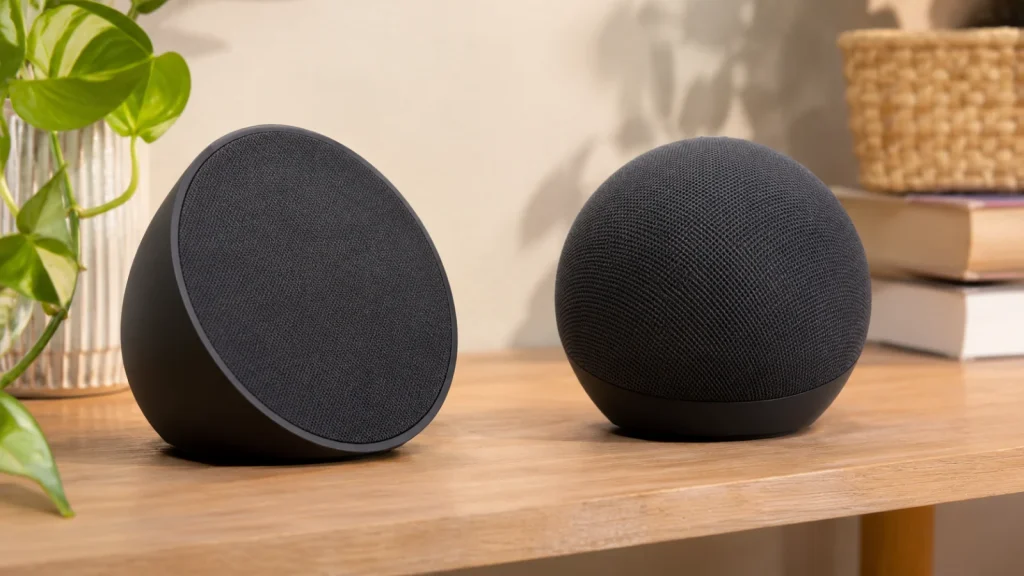
I’d buy the Echo Dot (5th Gen) if this will be your main Alexa speaker or you want to trigger routines from temperature or motion. I’d buy the Echo Pop if you want the cheapest way to add Alexa to a small room, or a second speaker for a bedroom or home office. Alexa itself behaves the same on both, so as I see it the choice comes down to sensors, sound and where the speaker will sit.
Affiliate disclosure: As an Amazon Associate I earn from qualifying purchases. I may earn a commission when you buy through my links, at no extra cost to you.
Echo Pop vs Echo Dot at a glance
| Feature | Echo Pop | Echo Dot (5th Gen) |
|---|---|---|
| Shape | Half-sphere with a flat, front-facing grille | Sphere with a flat base |
| Speaker | 1.95-inch front-firing | 1.73-inch front-firing |
| Temperature sensor | No | Yes |
| Motion detection for routines | No | Yes (ultrasound) |
| Tap to snooze or pause | No | Yes |
| Version with a clock display | No | Yes, sold as a separate model |
| Matter support | Yes (Wi-Fi) | Yes (Wi-Fi) |
| eero Built-in Wi-Fi extending | Yes | Yes |
| Zigbee hub or Thread border router | No | No |
| Size and weight | 99 x 83 x 91 mm, 196 g | 100 x 100 x 89 mm, 340 g |
| List price | Lower | Higher |
| Best for | Small rooms and second speakers | A first or main Alexa speaker |
| Price | View on Amazon | $39.99(as of Nov 29, 2026 6:58 PM UTC+5 – Details)View on Amazon |
Best for small rooms and second speakers
Amazon Echo Pop
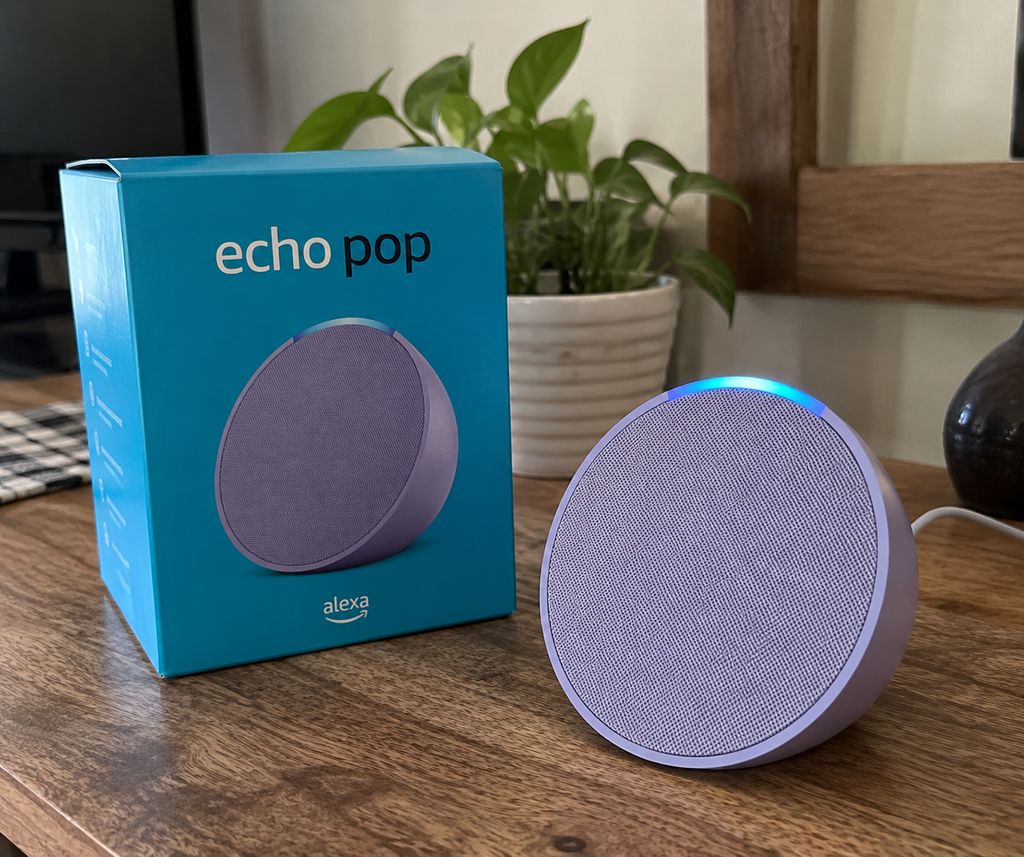
- Speaker: 1.95-inch front-firing
- Sensors: None (no temperature or motion)
- Controls: Volume and mic-off buttons
- Connectivity: Dual-band Wi-Fi, Bluetooth, Matter, eero Built-in
- Size: 99 x 83 x 91 mm, 196 g
Best first or main Alexa speaker
Amazon Echo Dot (5th Gen)
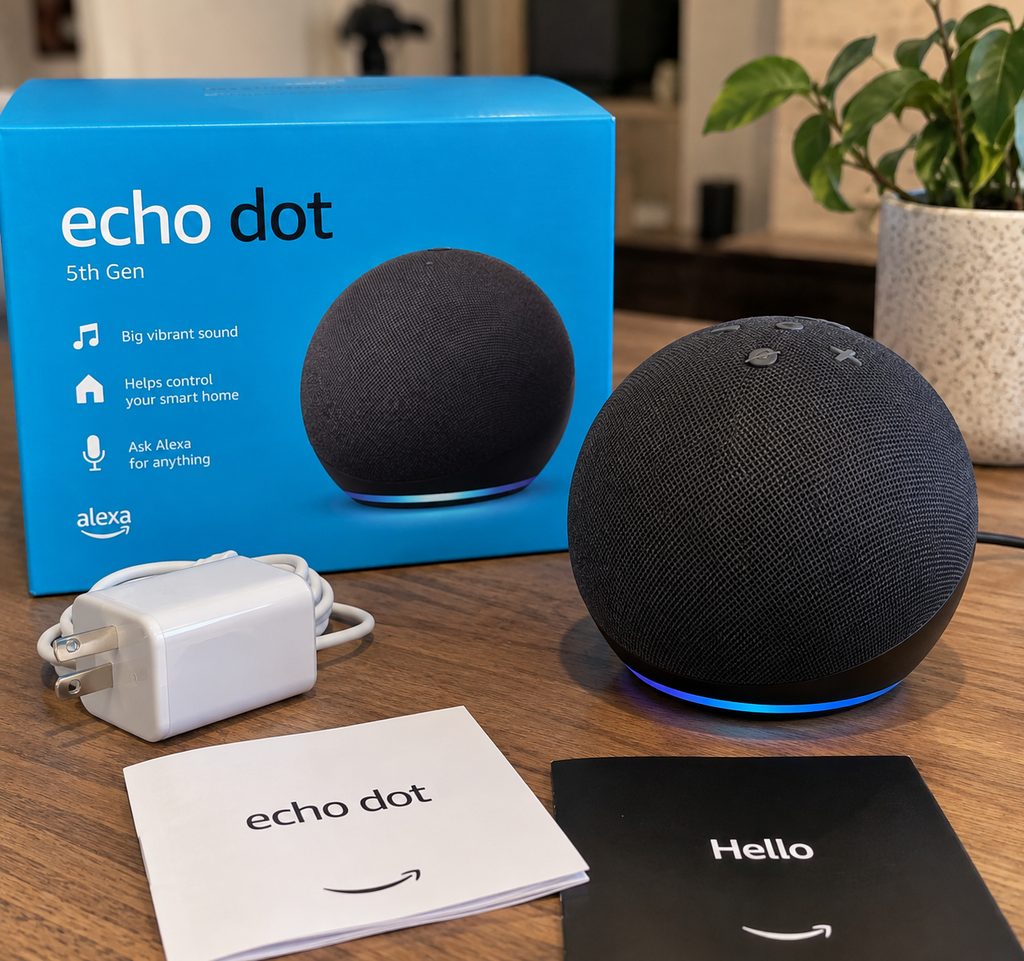
- Speaker: 1.73-inch front-firing
- Sensors: Temperature and ultrasound motion
- Controls: Buttons plus tap to snooze or pause
- Connectivity: Dual-band Wi-Fi, Bluetooth, Matter, eero Built-in
- Size: 100 x 100 x 89 mm, 340 g
The differences that should decide it
Sensors: the Dot can start routines by itself
For a smart home, this is the gap I think matters most. The Echo Dot has a temperature sensor and can detect motion in the room, and Alexa routines can use both as triggers. That allows automations such as switching on a smart plug with a fan when the room gets warm, or turning on a lamp when someone walks in.
The Echo Pop has neither sensor. It can still run every routine you start by voice, on a schedule or from another device. If you already own separate motion or temperature sensors, or you do not plan to automate by presence, the missing hardware costs you nothing.
Sound: closer than the designs suggest
Both are small speakers with a single front-firing driver, so neither will fill a large living room. The Dot has a modest edge for music, with a little more bass and clarity at higher volume. For voice replies, podcasts, timers and background radio, most people find them hard to tell apart.
The shape affects placement. The Pop’s flat face directs sound forward, which suits a shelf, a desk or a spot against a wall. If music quality is the priority, I wouldn’t buy either: my best smart speakers under $100 guide covers options with stronger audio.
Design and controls
The Pop is the more compact of the two and comes in brighter colors, which makes it easier to tuck onto a narrow shelf. The Dot’s round body is the familiar Echo look, and only the Dot is offered in a version with an LED clock display, which is handy on a nightstand. Both have physical volume buttons and a microphone-off button. The Dot adds a tap gesture: tap the top to snooze an alarm or pause music. The Pop has no accelerometer, so you use your voice or the buttons instead.
Smart home features
For controlling devices, the two are level. Each connects over Wi-Fi and Bluetooth, works as a Matter controller for Matter-over-Wi-Fi devices, runs the same Alexa routines and can extend a compatible eero Wi-Fi network. Neither has a built-in Zigbee hub or acts as a Thread border router, so devices that rely on those need a separate hub.
If you want that hub hardware inside the speaker, I’d look at the Echo Dot Max, which I compare in Echo Dot Max vs Google Home Speaker. For background on the standards involved, see my Matter vs Zigbee vs Z-Wave comparison.
Price and value
At list price the Pop costs a little less than the Dot. Both are discounted frequently, and during sales the gap sometimes shrinks to a few dollars. When that happens the Dot is my easy pick, because the sensors come at almost no extra cost. When the Pop is clearly cheaper and you only need voice control, I think it is the better value.
Routines that make the Dot’s sensors worth having
The Echo Dot’s temperature sensor and motion detection are easy to overlook in a spec table, so here are the practical routines I’d set up first. Each one runs automatically, without anyone saying a word.
- Cool a stuffy bedroom: when the temperature rises above a set point, switch on a fan plugged into a smart plug, and turn it off when the room cools.
- Warm a chilly office: when the temperature drops in the morning, send yourself a notification or raise the setpoint on a compatible smart thermostat.
- Welcome light: when motion is detected in the evening, turn on a lamp at low brightness.
- Morning briefing: the first time motion is detected in the kitchen after 6am, play the weather and news.
- Empty-room energy saver: when no motion is detected for a set time, switch off lights in that room.
Motion detection on the Dot uses ultrasound rather than a camera, so it senses movement without recording images. It works best in the room where the speaker sits and when the speaker is not blocked by objects. If you want these automations in several rooms, I’d put a Dot where they matter most and dedicated sensors elsewhere.
Alexa+ on budget Echo speakers
Amazon has been rolling out Alexa+, its newer, more conversational assistant, across Echo devices, and it lists both the Echo Pop and the Echo Dot (5th Gen) as compatible. Amazon has said it is included for Prime members and available as a paid plan for others. Features are still being added during the rollout, so I’d check Amazon’s current details if the new assistant matters to you. The classic Alexa experience, including timers, alarms, music, routines and smart home control, continues to work on both speakers either way, and the hardware differences in this comparison do not change with the assistant.
Using a Pop and a Dot together
Many homes end up with a mix of both, and I like how well they work together. In the Alexa app you can create a multi-room music group so the same song plays everywhere, use Announcements to broadcast a message to every speaker (“dinner is ready”), or Drop In from one room to another as an intercom. Two identical speakers can also be paired as a stereo pair for better sound in one room; pairing generally works with matching models, so two Dots or two Pops rather than one of each. Each speaker can be assigned to a room in the app, which lets you say “turn on the lights” and have Alexa switch on the lights in the room you are speaking in.
Setting up your Echo in ten minutes
- Place it well. Put the speaker at least a few inches from walls and away from noisy appliances so it hears you clearly. Keep the Pop’s flat face pointing into the room.
- Plug it in and open the Alexa app. The app usually detects the new speaker automatically.
- Connect to 2.4GHz or 5GHz Wi-Fi and let it install updates.
- Assign it to a room and link your music service and any smart home skills.
- Create a voice profile so Alexa recognizes you for personal results.
- Review privacy settings, including voice recording history and Drop In permissions.
- Add one routine to start, such as a good-morning routine or, on the Dot, a motion-triggered light.
Privacy controls on both speakers
Both speakers have a microphone-off button that electrically disconnects the microphones, shown by a red light ring. In the Alexa app you can review and delete voice recordings, set them to delete automatically after a period, and control who can Drop In. The Dot’s motion sensing can be switched off if you prefer not to use it. Neither speaker has a camera.
Placement tips for better sound and hearing
Small speakers are very sensitive to where they sit, so these are the placement rules I follow. A few inches can make the difference between thin, tinny sound and something pleasant, and between Alexa hearing you first time or missing your request.
- Put the Pop’s flat face toward the room. Its sound is directional, so aiming it at where you usually sit makes voices clearer.
- Use a wall or corner for more bass. Placing either speaker a few inches from a wall reinforces low frequencies; right inside a corner can sound boomy.
- Keep it at ear height where possible. A shelf or counter works better than the floor or a high cupboard.
- Avoid enclosed spaces. Inside a bookcase cubby, sound gets muffled and microphones struggle to hear you.
- Move it away from noise. Kitchen extractor fans, dishwashers and TVs make wake-word detection harder.
- Give the Dot’s sensors a clear view. For motion routines, place the Dot where it faces the room you want to monitor, not behind objects.
What neither speaker does well
Both are compact, budget speakers, so I want to be clear about their limits before you buy. Neither fills a large room with rich music, and neither has a screen for camera feeds, recipes or timers you can see; for that, look at an Echo Show or another smart display. Neither has a battery, so they cannot move around the house or garden unplugged. And neither includes the Zigbee or Thread radios that some larger Echo models use to connect sensors directly. If any of those matter, I’d spend a little more on a model designed for the job rather than stretching a budget speaker beyond what it does well.
Which one fits each room?
- Living room or kitchen, as your main speaker: Echo Dot. The sensors and slightly fuller sound earn their place where the speaker gets the most use.
- Bedroom nightstand: Echo Dot with clock if you want the time visible; Echo Pop if you only need alarms and voice control.
- Home office or desk: Echo Pop. Its forward-facing sound suits a speaker that sits in front of you.
- Kids’ room or guest room: Echo Pop. It is the lower-cost way to add Alexa to a room that gets occasional use.
- Adding Alexa to several rooms: One Dot where automations matter, Pops everywhere else.
Before you buy
- Check the generation on the listing. Amazon sells several Echo models with similar names. Confirm you are looking at the Echo Pop or the Echo Dot (5th Gen), not an older Dot or the larger Dot Max.
- Decide on the clock before ordering. The clock display cannot be added later; it is a different model.
- Both need mains power. Neither has a battery, so plan for an outlet where the speaker will sit.
New to smart speakers? My guide to the best smart home devices for beginners explains what to buy alongside your first speaker.
My verdict
Here is my bottom line. The Echo Dot (5th Gen) is the better first Echo for most homes, because its sensors add automations the Pop cannot offer and the price difference is small. The Echo Pop is the better extra speaker: it brings the same Alexa to a second or third room for the least money.
Frequently asked questions
Is Alexa different on the Echo Pop and Echo Dot?
No. Voice commands, skills, music services, calling and routines work the same way. The differences are in the hardware around Alexa.
Can the Echo Pop control smart home devices?
Yes. It controls Alexa-compatible lights, plugs, thermostats and cameras by voice and through routines, exactly as the Dot does. It simply cannot trigger those routines from its own sensors.
Do either of them work without Wi-Fi?
Both need Wi-Fi and an internet connection for Alexa. Without it they are limited to acting as a Bluetooth speaker for a phone that is already paired. My article on which smart home devices work without internet explains what keeps running during an outage.
Is the Echo Dot worth the extra money?
I think so if you will use temperature or motion routines, want the clock version, or the price gap is only a few dollars. Otherwise the Pop does the core job for less.
Can I use either speaker with my TV?
Both can control a Fire TV by voice, and both can be used as a Bluetooth speaker. Neither is designed as a TV speaker, though; for better TV sound, I’d choose a soundbar or a larger Echo speaker paired with a Fire TV.
Are they good for kids?
Yes, with the right settings. Amazon offers Kids editions and parental controls that filter content, limit purchases and set bedtime hours. The Echo Pop’s lower price and bright colors make it a popular choice for a child’s room.
How long will a budget Echo last?
The hardware typically lasts many years. Software support is the practical limit, and buying a current model rather than an older generation gives you the longest support window.

Abdullah Khan
Smart Home WriterKhan is the smart home writer behind Smart Space Advisor. He is an IT engineer and tech blogger with a knack for making complex technology easy to understand, and he brings hands-on experience solving real-world technical problems to every guide. He covers smart security, video doorbells, smart plugs, lighting and platforms including Matter, Alexa, Google Home and Apple Home, and he labels his recommendations as research-based unless he has used a product himself.
Amazon prices on this page are as of November 29, 2026 6:58 PM UTC+5. Product prices and availability are accurate as of the date/time indicated and are subject to change. Any price and availability information displayed on Amazon at the time of purchase will apply to the purchase of the product.