
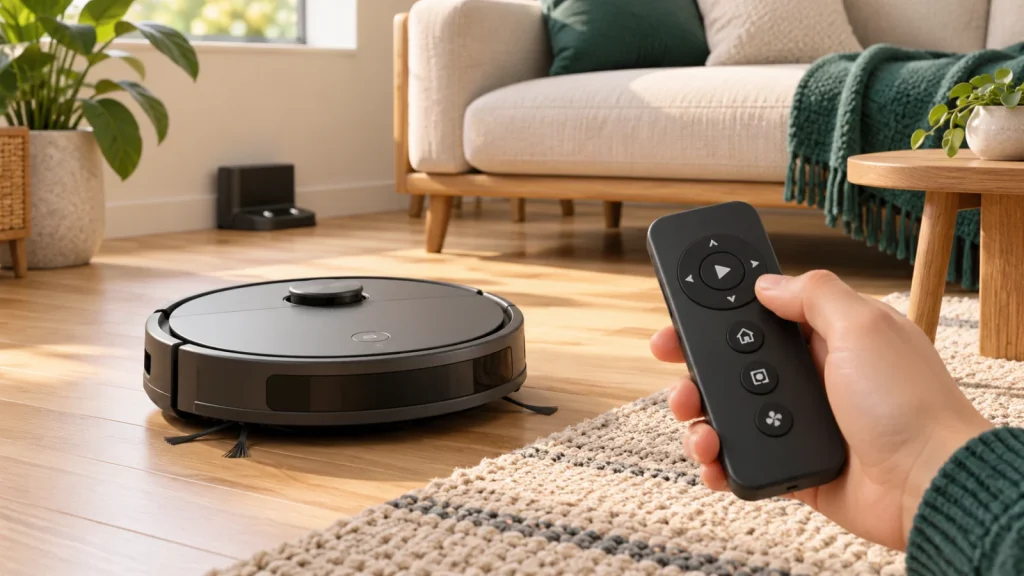
The best robot vacuum without WiFi for a straightforward, app-free setup is the eufy RoboVac 11S MAX. It has no Wi-Fi connectivity and uses a remote for cleaning and scheduling. For a home with mostly hard floors, the ILIFE V2 is another sensible option, especially if you want to avoid cleaning hair from a central brush roll.
The harder question is what “without WiFi” means for you. Some buyers want a robot that never needs an account or router. Others are happy with a connected model as long as it will clean when they press a button. Those needs lead to different recommendations—and very different scheduling limitations.
Affiliate disclosure: As an Amazon Associate I earn from qualifying purchases. We may earn a commission when you buy through our links, at no extra cost to you.
Quick picks: choose by the problem you need to solve
- No app, account or Wi-Fi setup: Start with the eufy RoboVac 11S MAX. Its remote controls keep everyday operation independent of a network.
- Mostly hard floors and loose pet hair: Consider the ILIFE V2. Its open suction inlet removes the central roller as a place for hair to wrap, with a substantial compromise on carpet.
- Remote-controlled vacuuming plus a mop: Consider the Tikom G8000 Max if you will start cleaning yourself. Its app schedules do not work offline.
- Vacuum-only cleaning with a zigzag route: Consider the AIRROBO P20. Its manual explicitly supports remote operation without a Wi-Fi connection; scheduling is configured in the app.
These are research-based recommendations for different requirements, not results from our own hands-on comparison. The first two are non-Wi-Fi models. The Tikom and AIRROBO have Wi-Fi hardware, although their physical controls provide useful offline cleaning.
Compare the Robot Vacuum offline features that matter
| Exact model | Connection requirement for basic cleaning | Scheduling without Wi-Fi | Cleaning approach and main compromise | Pricing |
|---|---|---|---|---|
| eufy RoboVac 11S MAX | No Wi-Fi model; remote and robot controls | Remote scheduling | Bounce navigation; no saved room map | View on Amazon |
| ILIFE V2 | No Wi-Fi or app; remote and robot controls | One daily start time, set by remote | Random navigation; brushless inlet is poorly suited to embedded carpet dirt | View on Amazon |
| Tikom G8000 Max | Wi-Fi-equipped; remote/button cleaning available | No; manual identifies an online scheduling dependency | Zigzag vacuuming and mopping; no room selection | View on Amazon |
| AIRROBO P20 | Wi-Fi-equipped; manual confirms offline remote use | No remote scheduling documented; app required to configure schedules | Zigzag vacuuming; no mop or documented offline room controls | View on Amazon |
None of these choices gives you a verified combination of app-free setup, editable room maps and virtual no-go zones. If those are essential, this shortlist will not meet your full brief.
1. Eufy RoboVac 11S MAX: our starting recommendation for app-free cleaning
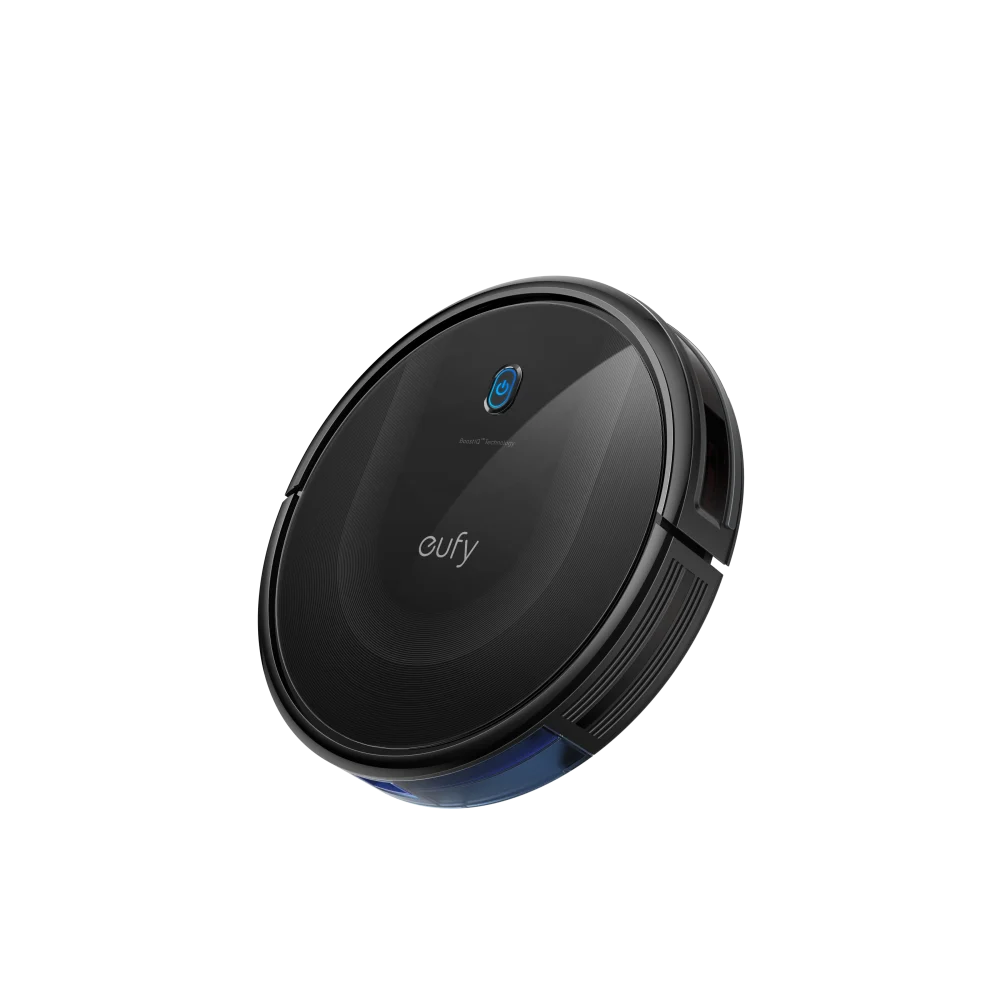
The 11S MAX is the clearest starting point when you want to charge a robot, use its controls and avoid network setup altogether. Eufy identifies this exact model as non-Wi-Fi, rather than a connected vacuum merely left unpaired.
Why it’s our #1 pick
We put the 11S MAX first because it combines straightforward offline operation with a practical fit for homes that have both hard floors and rugs. Our ranking prioritizes the features that matter when you want to clean without setting up an app or account:
- A documented non-Wi-Fi design. Eufy identifies the 11S MAX as a non-Wi-Fi model. Basic operation does not depend on pairing it with a router, making it a straightforward choice for someone who wants to avoid network setup entirely.
- Scheduling from the remote. Its remote-programmed timer lets you set a cleaning routine without a phone. That is a meaningful advantage over a robot that offers offline start/stop controls but leaves scheduling to an app.
- A more flexible starting point for mixed floors. Eufy specifies hard floors and low- to medium-pile carpets, and TechGearLab’s independent testing found useful pickup on both hard floors and carpet. This supports recommending it for routine maintenance across a mix of surfaces. The brushless ILIFE V2 remains a more specialized choice for mostly hard floors.
- A low body for cleaning beneath furniture. Eufy specifies a 2.85-inch height, useful when access under a bed or sofa is part of the buying decision. Measure your furniture clearance first. Its advertised runtime is up to 100 minutes in Standard mode on hard floors; carpet and higher suction settings reduce that figure.
The trade-off is basic bounce navigation: it can miss spots, struggle with obstacles and collect hair around its brushes. Our recommendation is based on documented features and attributed independent evidence. It suits a prepared room and a simple cleaning routine; buyers needing precise room maps or extensive unattended cleaning should weigh those limitations carefully.
Advantages: No phone or account needed for operation; a remote supports scheduling; the roller brush gives mixed-floor households an alternative to the brushless V2.
Limitations: No room-by-room map controls, mopping or self-emptying. Plan to clear cables and remove wrapped hair. A charging dock does not make it a hands-off appliance.
Choose it for a manageable home with hard floors and ordinary rugs, where simple controls matter more than precise navigation. Choose the ILIFE V2 instead if your floors are predominantly hard and avoiding a central brush roll is the stronger priority. Choose the P20 if a zigzag cleaning route matters more than having a non-Wi-Fi model.
Buying caution: Check for “11S MAX” on the listing and included remote. The original 11S is a different, discontinued model. Also distinguish new units from refurbished offers; condition and warranty terms can differ.
2. ILIFE V2: a simpler choice for hard floors and loose hair
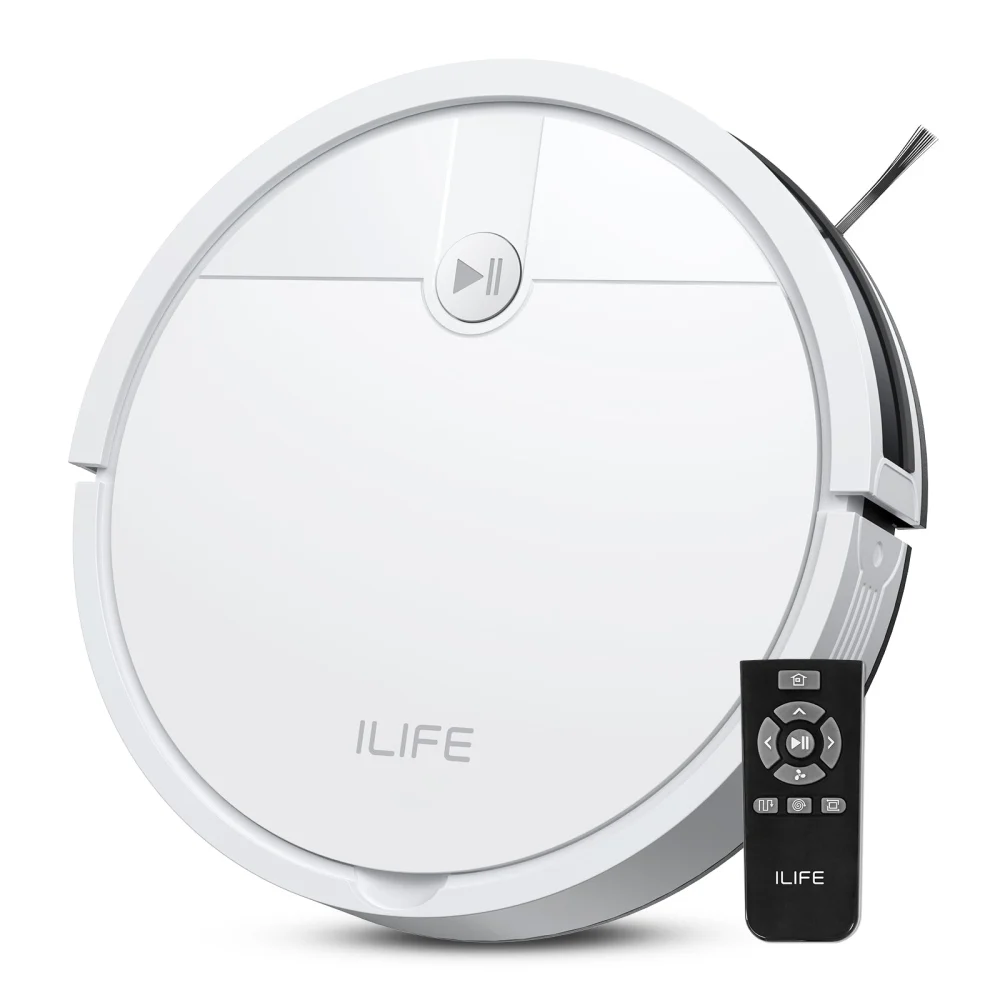
The V2 solves a narrower problem than the eufy: collecting everyday debris and loose hair from mostly hard floors while removing the central brush roll from the maintenance routine. It uses an open suction nozzle with side brushes, and operates without an app.
ILIFE lists a 300 mL dustbin, a 76 mm body—about 2.99 inches—and up to 120 minutes of runtime. The bin is small enough that a shedding pet can make emptying a frequent job. The runtime figure also does not guarantee complete coverage of a particular home.
The carpet limitation is the reason to be selective. In its own V2 testing, Vacuum Wars found useful hard-floor pickup but weak performance with embedded dirt and pet hair on carpet. Avoid interpreting “tangle-free” as “best for every pet household.” A dog shedding onto tile presents a different cleaning problem from fur worked into a rug. For a carpet-heavy home with shedding pets, compare models built for that job in our best robot vacuums for pet hair guide.
Advantages: No app or Wi-Fi requirement; no central roller to detangle; remote scheduling provides a daily routine without cloud services.
Limitations: Random navigation, manual bin emptying and no mopping. A brushless inlet sacrifices the carpet agitation a rotating brush can provide.
Choose it for a small, reasonably uncluttered hard-floor area. Skip it for a mainly carpeted home or if you expect one run to replace regular deep vacuuming. The 11S MAX is the more sensible starting point for mixed floors; the Tikom is the alternative here if a mop is necessary and Wi-Fi hardware is acceptable.
The V2 FAQ documents one daily scheduled start and more than one remote version. Follow the instructions for the remote supplied with your unit. ILIFE also warns that switching the robot off or fully depleting its battery cancels the preset schedule.
3. Tikom G8000 Max: an offline manual-start option with a mop
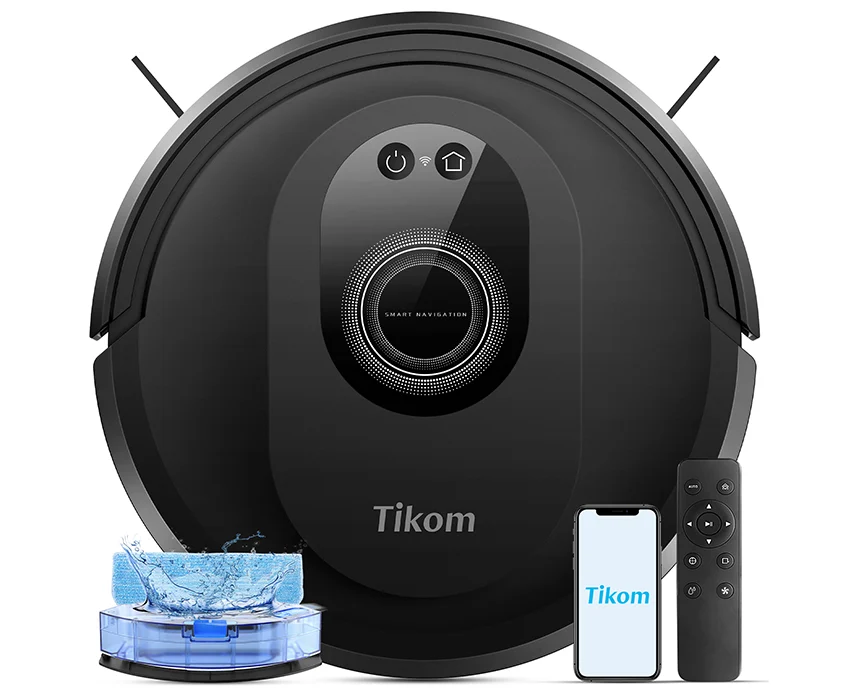
The G8000 Max is worth considering when you want to vacuum and wipe hard floors in the same run, and are happy to start the job with a remote. It is Wi-Fi-equipped, so it does not meet a requirement to avoid Wi-Fi hardware entirely.
Tikom specifies a 450 mL dustbin, a 300 mL water tank and up to 150 minutes of runtime in quiet mode. Its zigzag cleaning pattern offers a different approach from the eufy and ILIFE’s random movement. That is a navigation distinction, not evidence that it outcleans them in a controlled comparison.
The manufacturer’s G8000 Max manual documents remote cleaning controls. It also makes an important exception: scheduled starts depend on the Tuya server and do not operate while the robot is offline. A weekday calendar in the app therefore does not make this a good offline scheduling purchase.
Advantages: A vacuum-and-mop option with remote controls; a zigzag route; separate dust and water capacities appropriate to comparing the extra maintenance involved.
Limitations: Connected hardware, internet-dependent schedules and no selective room cleaning. Its basic mopping system also needs manual preparation and pad care.
Choose it for manually started cleaning on mop-compatible hard floors. Skip it if you need an offline daily timer, a robot with no Wi-Fi, or automatic room selection. The V2 is simpler for a dry, hard-floor routine; the P20 avoids paying for or maintaining a mop you will not use.
For carpets, follow the manual’s instruction to remove the mop attachment. Do not assume the pad will lift itself away from a rug. If you cannot reliably separate the carpeted area, a vacuum-only model is the easier choice.
Buying caution: Match “G8000 Max” exactly. Specifications and controls from the G8000, G8000 Pro or L8000 series should not be transferred to this model.
4. AIRROBO P20: vacuum-only cleaning with an offline remote
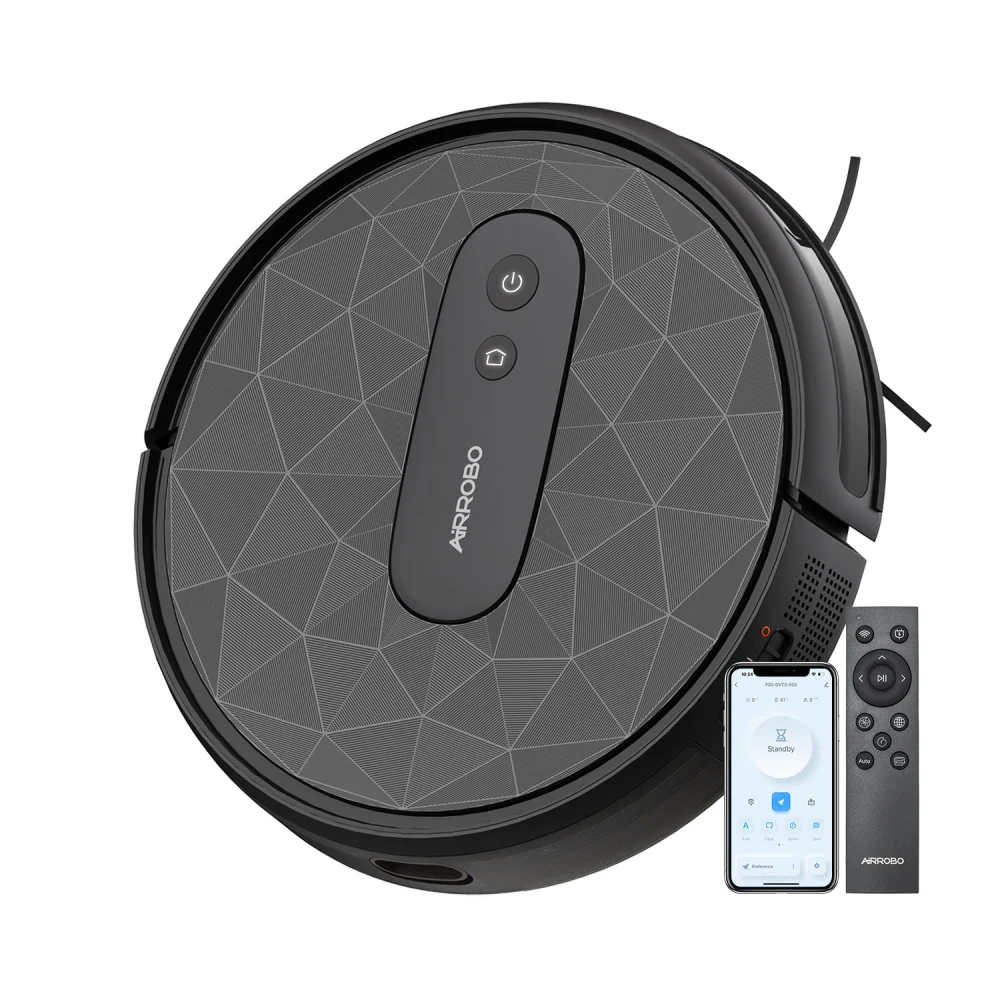
The P20 fits buyers who want physical controls and a zigzag routine, but have no use for a water tank or mop pad. AIRROBO’s official P20 manual expressly says the remote can operate the robot when it is not connected to Wi-Fi.
The manufacturer lists a 600 mL bin and up to 120 minutes of runtime. Its rotating main brush makes it a different proposition from the brushless V2. The larger bin offers more nominal capacity than the V2’s 300 mL container, although how often you empty either one depends on the debris collected.
Advantages: Documented offline remote operation; a zigzag automatic cleaning routine; no mopping equipment to fill, remove or wash.
Limitations: Wi-Fi hardware remains present. The manual puts scheduling in the app and provides no remote scheduling procedure. We would not buy it for an entirely offline timed routine. This guide also lacks comparable independent cleaning tests for the P20, so we are not ranking its pickup above the other choices.
Choose it when you will manually start cleaning and want a vacuum-only alternative to the Tikom. Skip it if avoiding connected hardware is non-negotiable; the 11S MAX or V2 is the clearer fit. If you mainly want to avoid hair wrapping around a central roller on hard floors, the V2 addresses that problem more directly.
The P20’s included remote is part of the reason it qualifies. Check the package contents and exact model when comparing marketplace offers, rather than assuming every AIRROBO bundle has the same controls.
Head-to-head comparisons: which one fits your home?
Eufy 11S MAX vs ILIFE V2: mixed floors or mostly hard floors?
Both offer app-free operation and remote scheduling, so connectivity alone does not decide this pairing. The more useful difference is the cleaning inlet. The eufy uses a rotating main brush; the V2 uses an open suction inlet without a central roller.
For a home with hard floors and several ordinary rugs, the 11S MAX is our broader starting recommendation, supported by the independent cleaning evidence discussed above. For a mostly tiled or wood-floored apartment with loose hair, the V2 removes a central brush roll from your maintenance routine. Its side brushes and wheels still need attention, and its weak embedded-carpet pickup is a significant compromise.
Choose by the mess: Everyday debris across mixed floors favors the eufy’s role in this guide. Loose hair on mostly hard floors makes the V2 worth considering. Neither is a substitute for a conventional vacuum when you need deep carpet cleaning.
Tikom G8000 Max vs AIRROBO P20: will you actually use the mop?
Both provide remote-controlled cleaning and a zigzag routine. The main purchasing decision is whether you want to maintain a mop as well as a vacuum. Tikom’s combination adds a water tank and pad; the P20 is vacuum-only.
The Tikom makes sense if wiping mop-compatible hard floors is part of your regular routine and you will fill the tank, care for the pad and remove the attachment for carpeted areas. The P20 is simpler to choose when you mainly want dry debris pickup or would leave a mop unused. A mopping attachment adds work as well as a feature.
Scheduling is the deciding exception: Tikom documents an online dependency for scheduled starts, while the P20 manual puts schedule setup in the app. If your requirement is a timer you can program entirely offline, return to the eufy or ILIFE options. Neither connected model becomes a non-Wi-Fi product simply because you use its remote.
How do these compare with Roomba and Roborock?
Connected alternatives can be worth investigating when maps or additional automation matter more than avoiding an app. However, “can clean offline” can describe a much narrower capability than the app-free ownership offered by the eufy and ILIFE here.
| Alternative | Meaningful difference | What to check before choosing it |
|---|---|---|
| Roborock Q7 M5 / Q7 M5+ | LiDAR mapping offers a different navigation approach from the simple robots in this guide. The M5+ version adds a self-emptying dock. | Roborock’s Q7-series page says the app is required for intended operation. Verify the exact model’s first-use requirements and the features available offline; do not assume its full advertised feature set works without an app. |
| Roomba Max 700 series | iRobot documents offline cleaning after app setup, but specifies initial cloud provisioning for units shipping with factory software v7.2.3 or later. | It does not meet a requirement to avoid an initial online setup altogether. Check the exact model and supplied software rather than extending this rule to every Roomba. |
Roborock’s general offline FAQ describes button-operated cleaning, while its Q7-series page includes the app requirement above. Those statements concern different levels of functionality; together they do not establish a complete, never-connect experience for the Q7 M5. The Roomba setup distinction comes from iRobot’s own Max 700 release notes.
When paying for more features makes sense: Investigate a mapped, connected model if you are willing to use its app and need the controls that app provides. If avoiding apps and accounts is the central requirement, extra advertised features do not automatically make a robot a better fit. These alternatives are comparison examples, not additions to our verified app-free recommendations.
How to choose a robot vacuum that doesn’t require WiFi
Decide whether you mean no internet, no app or no Wi-Fi hardware
A broadband outage can leave your home Wi-Fi network running. Turning off the router removes that local connection too. A robot using its own buttons or remote has a different control path from one awaiting a command through a cloud service.
If your concern is simply an occasional outage, try your existing robot’s documented physical controls before replacing it. If you want no accounts or network setup from the first clean, select a model specifically designed for app-free operation. If your requirement is no Wi-Fi hardware, a connected model left unpaired is not equivalent.
Our explanation of which smart home features work without internet covers the wider distinction between local operation, internet access and power.
Check setup separately from everyday cleaning
A CLEAN button does not prove a robot will work straight from the box without a connection. Read the initial setup instructions separately from the instructions for later offline cleaning. The comparison above shows why that distinction can change which product meets your needs.
Before ordering any alternative, ask the manufacturer: “Can this exact model perform its first clean without a phone, account, Wi-Fi connection or firmware activation?” An answer about later offline cleaning does not answer that question.
Treat offline scheduling as a separate feature
Starting from a remote and starting automatically at a set time are different capabilities. The table above separates them for that reason. If nobody will be home to press a button, prioritize a documented remote-programmed timer over an app schedule you cannot use. See our guide to scheduling a robot vacuum without WiFi for model-specific programming and troubleshooting.
For a relative who wants one simple daily routine, set up the timer together, confirm a scheduled run actually starts, and leave a short note explaining how to cancel it. Check what happens after the robot is switched off or its battery goes flat.
Match the cleaning hardware to your floor
For predominantly hard floors, prioritize debris pickup, manageable maintenance and access beneath furniture. For carpet, consider the need to agitate embedded dirt as well as collect loose material. A brushless suction opening can reduce roller maintenance while leaving you with more manual carpet vacuuming. Our comparison of brush rolls and suction-only cleaning openings explains the floor and maintenance trade-offs.
Do not choose solely by the largest advertised suction figure. Different test methods, brush designs, floor contact and navigation make those numbers unsuitable as a simple cross-brand performance ranking. Likewise, advertised battery minutes are not a promise of whole-home coverage.
Plan how you will control where it goes
These recommendations do not provide verified offline room-selection controls. For an office with exposed cables, a feeding area or a rug you want kept dry, plan a physical separation the robot cannot cross. Check that the barrier works during a supervised run. Read our robot-vacuum navigation explanation to distinguish cleaning patterns, saved maps and obstacle handling.
You also need to prepare the route. Lift cables and small objects, secure loose rug fringes, and make sure the charging dock has the clearance required by the exact manual. Run the robot in the areas you actually need cleaned during the return period; a simple open room is a more forgiving job than several crowded rooms joined by awkward thresholds.
Include maintenance and replacement parts in the cost
These are manually emptied robots. Budget your time as well as the purchase price: removing hair, emptying the bin, cleaning sensors and replacing filters or brushes remains part of ownership. Our brush, filter and sensor cleaning guide covers the routine and the model-specific washing rules.
Check that compatible consumables, a replacement remote and an appropriate battery are obtainable for the exact model. For a refurbished offer, compare the return policy, battery condition and warranty with a new unit. A low initial price is less useful if the control you rely on cannot be replaced.
Check offline operation during the return period
Use the seller’s actual return window to confirm the functions you bought the robot for. A successful first clean is useful, but it does not establish that scheduling, docking and everyday maintenance will suit your home.
- Confirm the exact package. Match the model, new or refurbished condition, remote and charging equipment to the offer you ordered.
- Check the first clean without pairing. Follow the supplied charging and startup instructions. If your requirement is no app or account from day one, confirm the robot can start that way before completing any optional network setup.
- Try your real route. Supervise cleaning across the floors, thresholds and furniture clearances that matter. Test the documented return-to-dock control as well as the start button.
- Verify the timer separately. On a model with a documented offline timer, program it using the supplied remote and confirm a scheduled run. Check the manual’s instructions for power loss or switching the robot off before relying on the routine.
- Try the maintenance yourself. Empty the bin, remove accessible tangled hair as instructed and handle the mop pad if fitted. Make sure the person using the robot can comfortably manage these jobs.
If an essential function does not work as documented, contact the manufacturer or seller while you still have the relevant support and return options. Do not keep a poor fit solely because the robot completed one demonstration run.
Questions buyers still ask
Can I use a phone hotspot for a robot that requires initial setup?
A hotspot may provide the required network for some models, but compatibility and the setup process vary. Verify the exact robot’s requirements before relying on it. More importantly, one successful setup does not guarantee offline schedules or other app features. If you never want to use a phone or account, buying a documented app-free model is more straightforward.
Will a robot keep working if the manufacturer closes its app?
Fully app-free operation removes that app from the everyday control path. For a connected robot, working buttons today do not guarantee every feature will survive a future service change or reset. Buy for the local functions documented now, and avoid paying extra for cloud features you do not intend to use.
Does a self-charging dock mean I can leave it entirely alone?
No. Returning to a charger is different from emptying the dustbin, removing a jam or continuing an unfinished cleaning route after recharging. Check those features individually. This shortlist is for reducing routine floor work, not eliminating supervision and maintenance.
Should I wash the filters to save on replacements?
Only if the exact manual says the particular filter is washable. ILIFE specifically says the V2’s high-performance filter must not be washed. A washable bin or brush does not mean every part can go under the tap. Follow the drying instructions for any component that can be rinsed.
Final verdict
Choose the eufy RoboVac 11S MAX when your first priority is an app-free robot with simple everyday controls and you accept basic navigation. Choose the ILIFE V2 for a more narrowly defined job on hard floors, especially loose hair, while keeping a conventional vacuum for carpet cleaning.
If Wi-Fi hardware itself is acceptable, the Tikom G8000 Max adds a mop and the AIRROBO P20 offers a vacuum-only zigzag alternative. Buy either for the manual cleaning controls described here, with their scheduling limits understood.
If you need editable maps, precise room selection and sophisticated unattended cleaning while avoiding all setup and connectivity, none of these is a complete solution. Resolve that requirement before buying rather than discovering the missing feature after the return window.
How we researched this guide
We compared exact-model manufacturer specifications, support pages and manuals, checked US manufacturer purchase pages and Amazon model listings, and consulted independently conducted tests where available. Recommendations reflect those sources and our analysis of the buyer’s requirements; Smart Space Advisor did not hands-on test these robots for this guide.
We distinguish manufacturer runtime claims from measured performance and attribute independent findings to the publication that performed the tests. Comparable independent pickup evidence was available for the eufy and ILIFE, but not established for the Tikom and AIRROBO in this research. No numerical scores, live prices or stock promises are used.

Ryan Hayes
Founder & EditorRyan Hayes is the founder and editor of Smart Space Advisor, where he researches and evaluates smart home technology to help readers make informed buying decisions. His work focuses on smart security, video doorbells, smart plugs, lighting, and connected-home platforms including Matter, Alexa, Google Home, and Apple Home. By combining product research, manufacturer documentation, feature comparisons, and real-world considerations, Ryan aims to cut through technical jargon and provide practical, straightforward advice about which smart home products offer genuine value.