
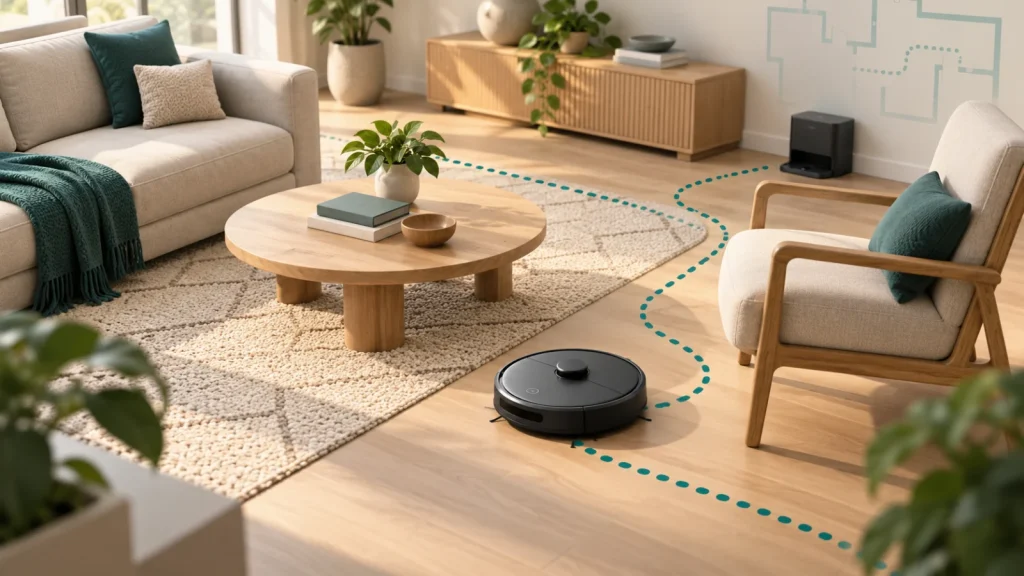
Robot vacuum navigation determines where the robot travels, how it reacts to the room and how deliberately it covers the floor. Random navigation changes direction as the robot encounters obstacles. Gyroscope-assisted systems can organize cleaning into rows. LiDAR systems measure surrounding distances and can support mapped navigation, depending on the robot’s software.
The useful buying question is which approach suits your layout and the controls you want. A simple bedroom presents a different task from several rooms connected by narrow doorways. An orderly cleaning pattern also does not automatically mean saved maps, obstacle recognition or app-free operation.
Compare the three approaches
| Navigation approach | How it organizes movement | Main ownership trade-off | Useful question before buying |
|---|---|---|---|
| Random or bounce | Changes direction in response to its surroundings | Repeated passes and less predictable coverage | Can you prepare and restrict a manageable cleaning area? |
| Gyroscope-assisted | Uses motion information to help follow a structured route | Rows do not necessarily come with reusable room maps | Does the robot save a map or only show the current route? |
| LiDAR mapping | Uses distance measurements with localization and mapping software | Map controls and setup requirements vary | Which mapping functions can you actually access? |
These are navigation categories, not cleaning-performance scores. Two robots using the same category can differ in route planning, pickup, recovery from a jam and ease of use.
A bounce robot typically moves until its sensors or bumper prompt a response, then changes course. Its software may also include edge-following or spot-cleaning routines, so “random” does not mean that every movement is uncontrolled.
Eufy’s navigation explanation identifies the 11S MAX as a bounce model that does not create a cleaning-area map. That is a useful distinction from robots offering a room plan you can edit and reuse.
In a relatively open room, repeated movement can pass over useful areas without a stored map. The compromise becomes more noticeable when furniture legs, tight passages or multiple rooms influence where the robot happens to go. Watching it cross the same patch several times is not proof that the entire home has received equal attention.
Treat a basic robot’s cleaning area deliberately. Clear the floor, decide which doors should be open, and observe whether it reaches the places that matter. If a bedroom is your priority, giving it access to several additional rooms can make its behavior harder to assess.
TechGearLab’s hands-on 11S MAX review found limitations with navigation and obstacles despite useful debris pickup. That illustrates why cleaning hardware and route control should be evaluated separately. It does not establish that every bounce robot performs identically.
A gyroscope helps detect rotational motion. Combined with other motion information and navigation software, it can help a robot maintain its heading, turn and follow a planned back-and-forth route. Eufy’s Dynamic Navigation guidance describes using gyroscope and accelerometer information for this kind of zigzag cleaning.
The practical appeal is easy to understand: a robot that organizes movement into lanes can make its intended coverage easier to follow. However, a current-run path display is different from a persistent floor plan with named rooms and editable boundaries.
Tikom’s G8000 Max manual, for example, describes its displayed map as a record of the cleaning path rather than a house layout for selecting rooms. A listing showing a colored route on a phone therefore needs a closer look before you assume that it provides the room controls you want.
Motion sensing also has limitations. Bosch explains that robotics navigation combines different sensing methods, including inertial sensing and environmental measurements. A heading estimate and a view of surrounding objects are different sources of information. The robot’s complete sensor-and-software system matters more than the presence of a single component.
For a buyer, the important checks are concrete: does it clean in rows, can it recover its route after an interruption, and is a reusable map actually available? Do not treat those as three names for one feature.
LiDAR is a ranging technology. In a robot vacuum, distance information can help software describe nearby surfaces and estimate the robot’s position. Manufacturers often discuss it alongside SLAM: simultaneous localization and mapping. The software builds or updates a representation of the surroundings while working out where the robot is within them.
Roborock’s Q7-series page describes LiDAR-based mapping and multiple-floor maps. These are examples of supported product functions, not a guarantee that every robot carrying a LiDAR label has the same map storage or controls.
A reusable map can make deliberate tasks more convenient. For instance, an owner may want a particular room cleaned after breakfast or an area excluded from a routine. Whether those controls exist—and whether they need an app—must be confirmed for the exact robot.
Also check how the robot handles a changed environment. Moving a chair is a different event from relocating the dock or carrying the robot to another floor. The manual should explain when the robot recognizes its location, when it needs another mapping run and how owners should recover a confused map.
Physical fit still matters. Compare the complete robot height, including any raised sensor housing, with the furniture it needs to reach beneath. A more capable mapping system does not help with dust beneath a sofa if the robot cannot enter the gap.
A robot can know roughly where it is while still encountering an object it cannot avoid reliably. A room map is not a guarantee that the robot recognizes a charging cable, a small toy or pet waste. Our pet-hair robot vacuum buying guide compares obstacle-avoidance results alongside hair pickup and brush tangling, which matter together in homes with animals.
When reading a listing, separate these four questions:
- Navigation: How does the robot decide where to travel next?
- Map storage: Does it retain a useful representation for later cleaning runs?
- Map controls: Can you select rooms or configure supported boundaries?
- Obstacle handling: What does the exact model detect, and what preparation does its manual require?
This distinction prevents a common purchasing mistake: paying for mapping while expecting a different feature, such as avoiding every loose object. Check demonstrations and independently conducted tests for the exact model where available, and identify which feature each piece of evidence actually evaluates.
Cliff detection is another separate function. Follow the manual’s precautions around drops and stairs. Virtual map boundaries are a convenience feature; they should not become your only protection against a physical hazard.
Does mapping require WiFi?
The sensing hardware and the connection used to operate a robot are different parts of the system. You cannot determine first-use requirements or offline functions from “LiDAR,” “gyro” or “random” alone.
Roborock’s general offline FAQ describes button-operated cleaning, while its Q7-series page includes an app requirement for intended operation. Those statements do not establish that all advertised map features are available without setup or connectivity.
For any model, ask whether the first clean needs an account, whether a saved map survives offline operation and which controls remain available. If avoiding apps is the priority, our robot-vacuum buying guide for offline use compares documented control limitations rather than assuming a navigation label answers those questions.
Choose according to your layout
One straightforward room
For a largely open room that you can prepare easily, basic navigation may be an acceptable compromise. Think about your actual expectations: collecting routine floor debris while you supervise occasionally is different from having the robot reliably manage an entire complicated home.
Assess how it handles the edges, the center of the room and the route back to the dock. A robot making several repeated passes may still provide useful maintenance; your decision should reflect the areas it reaches and the amount of intervention required.
Several rooms or a restrictive floor plan
As the layout becomes more complicated, deliberate route planning and usable room controls become more valuable. Narrow passages, clusters of chair legs and awkward transitions can matter more than an impressive battery-runtime claim.
Look for evidence that the exact robot handles a layout like yours. A demonstration in a spacious test room cannot settle how it will behave around your dining table. Mapping is a useful capability, but you still need appropriate clearance and a prepared route.
A home where particular areas must be excluded
Decide whether a closed door or another suitable physical separation is enough. If you need virtual exclusions, verify the supported type: a no-go zone and a no-mop zone solve different problems. Check the conditions under which those settings remain active and the procedures for changing or restoring a map.
For a wet mop and carpeted area, robot navigation is only part of the decision. Mop lifting, removal and carpet-handling rules need their own verification.
Evaluate coverage during the return period
Choose a normal cleaning area and note the places that matter before starting. Keep the layout reasonably consistent across the first few runs so you can distinguish a repeatable limitation from a one-off obstruction.
Watch whether the robot reaches the far side of the room, handles transitions and returns to its dock under the documented conditions. If you test room selection, confirm it actually cleans the selected room rather than judging only from a colorful app screen.
Record interventions too. A run completed after you repeatedly move the robot tells you something different from one completed without assistance. Do not deliberately create unsafe obstacles or disable protective sensors to make a test more difficult.
If movement changes suddenly after a period of normal use, check cleanliness and visible obstructions before assuming the navigation system has failed. Our brush, filter and sensor cleaning guide covers routine owner maintenance.
Is a cleaning-path picture proof of a saved map?
No. A screen can display where a robot traveled during one run without giving you a persistent, editable floor plan. Look for explicit documentation of map retention, room selection and supported boundaries rather than relying on the illustration alone.
Does a better route guarantee better debris pickup?
A robot must reach an area before it can clean it, but reaching it is only part of the job. The cleaning head, airflow, floor contact and debris also matter. Our explanation of brush rolls versus suction-only openings covers that separate decision.
Pick the controls you will actually use
Choose basic navigation when its preparation and coverage compromises suit your space. Consider a structured route when you want more deliberate movement, and a mapped model when reusable room information and supported controls solve a specific problem. Verify the exact functions and connection requirements before buying: the navigation category is the start of that assessment, not the whole answer.

Ryan Hayes
Founder & EditorRyan Hayes is the founder and editor of Smart Space Advisor, where he researches and evaluates smart home technology to help readers make informed buying decisions. His work focuses on smart security, video doorbells, smart plugs, lighting, and connected-home platforms including Matter, Alexa, Google Home, and Apple Home. By combining product research, manufacturer documentation, feature comparisons, and real-world considerations, Ryan aims to cut through technical jargon and provide practical, straightforward advice about which smart home products offer genuine value.