
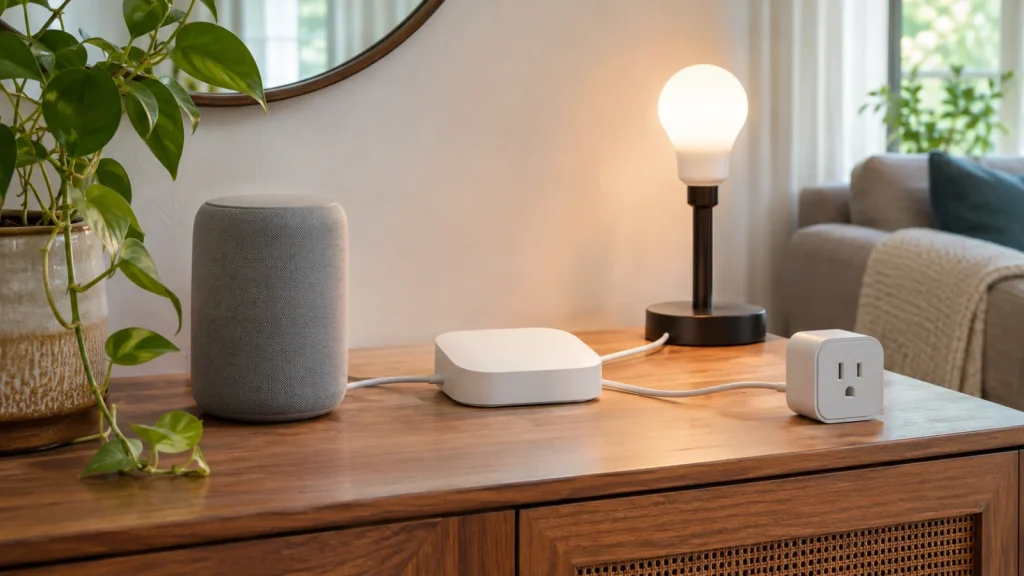
In my view, most people starting out do not need a separate smart home hub. Wi-Fi plugs, bulbs and cameras connect straight to your router and work with a phone and a smart speaker. You need a hub when you buy devices that use Zigbee, Z-Wave or Thread, when your Wi-Fi is overloaded with gadgets, or when you want automations that keep running without the internet.
You may also own a hub already without knowing it. Several smart speakers, displays and streaming boxes have hub radios built in. In this guide I explain what a hub does, how to tell if you have one, and when I think buying one makes sense.
What a smart home hub actually does
I think of a hub as a translator and a coordinator. It does three jobs.
- It speaks radio languages your router does not. Many sensors, switches and locks use low-power signals such as Zigbee, Z-Wave or Thread. A hub connects them to your home network.
- It runs automations at home. A rule such as turning on the hall light when a sensor sees motion can run inside the hub, without a round trip to a cloud server.
- It gathers devices in one place. Different brands appear in a single app and can work together.
Quick check: do you need one?
| Your situation | Hub needed? | Why |
|---|---|---|
| A few Wi-Fi plugs, bulbs and a camera | No | They connect to your router directly |
| A smart speaker and voice control | No | The speaker links your devices through their apps |
| Battery door, motion or leak sensors | Usually yes | Most use Zigbee, Z-Wave or Thread to save battery |
| No-neutral smart switches or a retrofit lock | Often yes | Many rely on the maker’s bridge or a low-power radio |
| Thirty or more Wi-Fi smart devices | Worth considering | Moving devices off Wi-Fi eases the load on your router |
| Automations must work during internet outages | Yes | Local control needs a hub at home |
| Apple Home with remote access | Yes | Apple requires a HomePod or Apple TV as a home hub |
You may already own a hub
Before buying anything, I’d check what your existing devices can do.
- Amazon Echo: some models include a Zigbee hub or act as a Thread border router, and most can control Matter devices. The cheapest Echo models leave these radios out.
- Google Nest: Nest Hub displays and some Nest Wi-Fi equipment act as Thread border routers and Matter controllers.
- Apple: a HomePod or Apple TV is the home hub for Apple Home, and recent models are Thread border routers.
- Mesh Wi-Fi systems: some include Thread or Zigbee radios.
Radios differ between generations of the same product, so I’d look up your exact model on the maker’s support page. My comparison of Echo Dot Max vs Google Home Speaker shows how two current speakers differ on this point.
The types of hub
| Type | Examples | Best for | Drawback |
|---|---|---|---|
| Speaker or display with hub radios | Certain Echo and Nest models, HomePod | Beginners who want one device for voice and hub duties | Limited to the radios that model includes |
| Brand bridge | Philips Hue Bridge, Lutron Smart Hub, Aqara hub | Getting the best from one brand’s devices | One more box per brand |
| Dedicated multi-protocol hub | SmartThings, Hubitat, Home Assistant | Large setups and local automations | More setup and learning |
Where Matter and Thread fit in
Matter is a common language that lets one device work with Alexa, Google Home and Apple Home. It reduces the need for a separate bridge for every brand. It does not remove hubs altogether: you still need a Matter controller, which is usually your smart speaker, display or streaming box.
Thread is a low-power network many Matter sensors and plugs use. Thread devices need a Thread border router at home to reach your network. If you have a recent hub-capable speaker, you probably have one. My Matter explainer and my Matter vs Zigbee vs Z-Wave comparison cover both in detail.
Popular hub options explained
If you decide you need a hub, these are the options I’d consider, from simplest to most capable.
- A hub-capable smart speaker or display: the easiest route. If your Echo, Nest Hub, HomePod or Apple TV includes Zigbee or Thread, you may not need anything else for basic sensors and Matter devices.
- Philips Hue Bridge: the best way to run Hue lights, with fast, reliable Zigbee control, local operation and support for many accessories. It is focused on lighting.
- Lutron Caseta Smart Hub: required for Lutron’s dimmers, switches and remotes, and known for exceptional reliability.
- Aqara hubs: affordable Zigbee hubs that pair with Aqara’s large range of sensors and switches, with Apple Home support and, on newer models, Matter.
- Samsung SmartThings: a mature multi-protocol platform that supports Zigbee, Matter and, on some hubs, Thread, with a broad range of compatible devices and a capable automation engine.
- Hubitat: a hub that runs automations locally, popular with people who want privacy and reliability without relying on the cloud. It takes more learning.
- Home Assistant: free, open-source software that can run on dedicated hardware or a small computer. It supports an enormous range of devices and offers the most control, but it is aimed at enthusiasts willing to tinker.
Questions I’d ask before buying a hub
- Which radios do I need? List the devices you want and check whether they use Zigbee, Z-Wave, Thread or a brand’s own radio.
- Does it work with my voice assistant and phone? Confirm support for Alexa, Google Home or Apple Home, whichever your household uses.
- Can it run automations locally? Important if your internet is unreliable or you value privacy.
- Is it a Matter controller or bridge? Matter support keeps your options open.
- How much setup will it take? Speaker-based hubs are simplest; Home Assistant and Hubitat reward time and effort.
- Does it need a subscription? Most hubs do not, but check for paid tiers that unlock features.
Setting up your first hub
I’d place the hub centrally in your home, ideally off the floor and away from the router by a few feet to reduce interference; many hubs connect to the router with an Ethernet cable for the most stable connection. Install its app, update the firmware, and add mains-powered devices first, such as plugs and switches. In Zigbee and Thread networks, these act as repeaters that extend the mesh, which helps battery sensors further away connect reliably. Then add battery devices, name everything clearly and assign rooms. Finally, link the hub to your voice assistant and build one or two simple automations to confirm everything works.
Local control, reliability and privacy
For me, one of the strongest reasons to use a hub is local control. Many Wi-Fi devices send every command through the maker’s cloud servers, so an internet outage or a company’s server problem can stop them working. Hubs that run automations locally keep lights, sensors and switches responding inside your home, and they often respond faster. Local processing also means less data about your daily routines leaves your home. If reliability and privacy matter to you more than simplicity, I think a hub with strong local control is worth the extra setup.
Hub-free vs hub-based: how homes evolve
Most smart homes follow a similar path. They start hub-free, with a smart speaker and a handful of Wi-Fi plugs and bulbs. As the number of devices grows, people add sensors for doors, motion and leaks, which usually brings in a hub, often one built into a newer speaker. Some eventually move to a dedicated hub for more advanced automations. I see no need to jump ahead. Wi-Fi and Matter devices bought early continue to work as the home grows, so starting simple costs you nothing later.
Zigbee, Z-Wave and Thread in plain language
The radio names on device boxes can be confusing, but the differences are easy to understand once you know what each is for.
- Zigbee is a low-power mesh radio used by many bulbs, sensors and plugs, including Philips Hue and Aqara. Mains-powered Zigbee devices pass messages along for others, so the network gets stronger as it grows. It shares the 2.4GHz band with Wi-Fi.
- Z-Wave is another low-power mesh radio, common in locks, sensors and switches. It uses a lower frequency than Wi-Fi, which reduces interference and helps signals pass through walls.
- Thread is a newer low-power mesh network designed for Matter. Thread devices connect through a border router, and like Zigbee, mains-powered Thread devices extend the network.
- Wi-Fi devices connect straight to your router, which makes them simple to set up but heavier on power and router capacity.
My practical takeaway: battery sensors almost always use Zigbee, Z-Wave or Thread to make their batteries last, which is why they usually need a hub or a hub-capable speaker. Plugs and bulbs come in both Wi-Fi and low-power versions, so you can choose based on whether you already have a hub.
Five signs it is time to add a hub
- A device you want lists a hub or bridge as required. Check the box or listing before buying.
- Your Wi-Fi devices drop offline as you add more of them.
- You want battery sensors on doors, windows or under sinks.
- Automations feel slow or fail when the internet is patchy.
- You are juggling several apps and want one place to control everything.
If none of these apply, I’d wait. You can add a hub later without replacing the Wi-Fi devices you already own.
Frequently asked questions
Is a smart speaker a hub?
Every smart speaker is a voice controller. Only some include the extra radios that make them a true hub for Zigbee or Thread devices.
Do smart plugs need a hub?
Wi-Fi smart plugs do not. Thread or Zigbee plugs do. My best smart plugs guide notes which is which.
Does a hub make my smart home work without internet?
It can keep local automations and controls running, depending on the hub and the devices. Voice assistants and remote access still need a connection. See what works without internet.
Will a hub slow down my Wi-Fi?
No. It usually helps, because devices on Zigbee, Z-Wave or Thread are no longer competing for your router’s attention.
More questions about hubs
Can I have more than one hub?
Yes, and many homes do: a Hue Bridge for lights, a Lutron hub for switches and a speaker acting as a Matter controller, for example. Each hub handles its own devices, and your voice assistant or a platform such as SmartThings or Home Assistant can bring them together.
What happens if my hub breaks?
Devices connected only through that hub stop responding to apps and automations until it is replaced and the devices are re-paired. Some, such as Lutron dimmers, still work by hand. I’d keep a note of your devices and automations, because it makes recovery much easier.
Is Z-Wave still worth considering?
Z-Wave remains popular for locks, sensors and switches, especially in the United States, and it avoids the crowded 2.4GHz band. It needs a Z-Wave hub, such as SmartThings on supported models, Hubitat or Home Assistant with a Z-Wave adapter.
Three example setups I’d suggest
A beginner with a few devices. An Echo or Nest speaker, three Wi-Fi smart plugs and a couple of smart bulbs. No hub needed. Everything is controlled by voice and phone, and routines run in the assistant’s app.
A growing home with sensors. A hub-capable speaker or display handles Thread or Zigbee sensors on the front door, a motion sensor in the hallway and a leak sensor under the sink. Matter plugs and bulbs join the same controller. The speaker is the only hub.
An enthusiast’s whole-home system. A Hue Bridge for lighting, a Lutron hub for wall dimmers, and a dedicated platform such as SmartThings, Hubitat or Home Assistant bringing everything together with local automations that keep running during internet outages. Voice assistants are layered on top for convenience.
Most people never need the third setup, and that is fine. My rule is that the right number of hubs is the smallest number that supports the devices you actually want.
Hub mistakes I’d avoid
- Buying a hub before you need one. Start with Wi-Fi or Matter devices and add a hub only when a device requires it.
- Hiding the hub in a cabinet. Metal and thick wood weaken low-power radio signals. Keep it in the open and central.
- Adding battery sensors before mains-powered devices. Plugs and switches extend Zigbee and Thread networks; add them first.
- Ignoring local control. If reliability matters, choose a hub that runs automations without the internet.
- Forgetting backups. Many hubs can back up their settings; turn it on so a replacement is quick to restore.
The short answer
Here is my bottom line. Start without a hub. Buy Wi-Fi or Matter devices that work with the speaker and phone you already have. Add a hub when a device you want requires one, or when your setup grows past what Wi-Fi handles comfortably. For a step-by-step plan, see my smart home setup guide and the best smart home devices for beginners.

Abdullah Khan
Smart Home WriterKhan is the smart home writer behind Smart Space Advisor. He is an IT engineer and tech blogger with a knack for making complex technology easy to understand, and he brings hands-on experience solving real-world technical problems to every guide. He covers smart security, video doorbells, smart plugs, lighting and platforms including Matter, Alexa, Google Home and Apple Home, and he labels his recommendations as research-based unless he has used a product himself.