
Affiliate Disclosure: SmartSpaceAdvisor.com is a participant in the Amazon Services LLC Associates Program. We may earn a commission when you buy through our links at no extra cost to you. Our recommendations are always based on honest research — never paid placements.
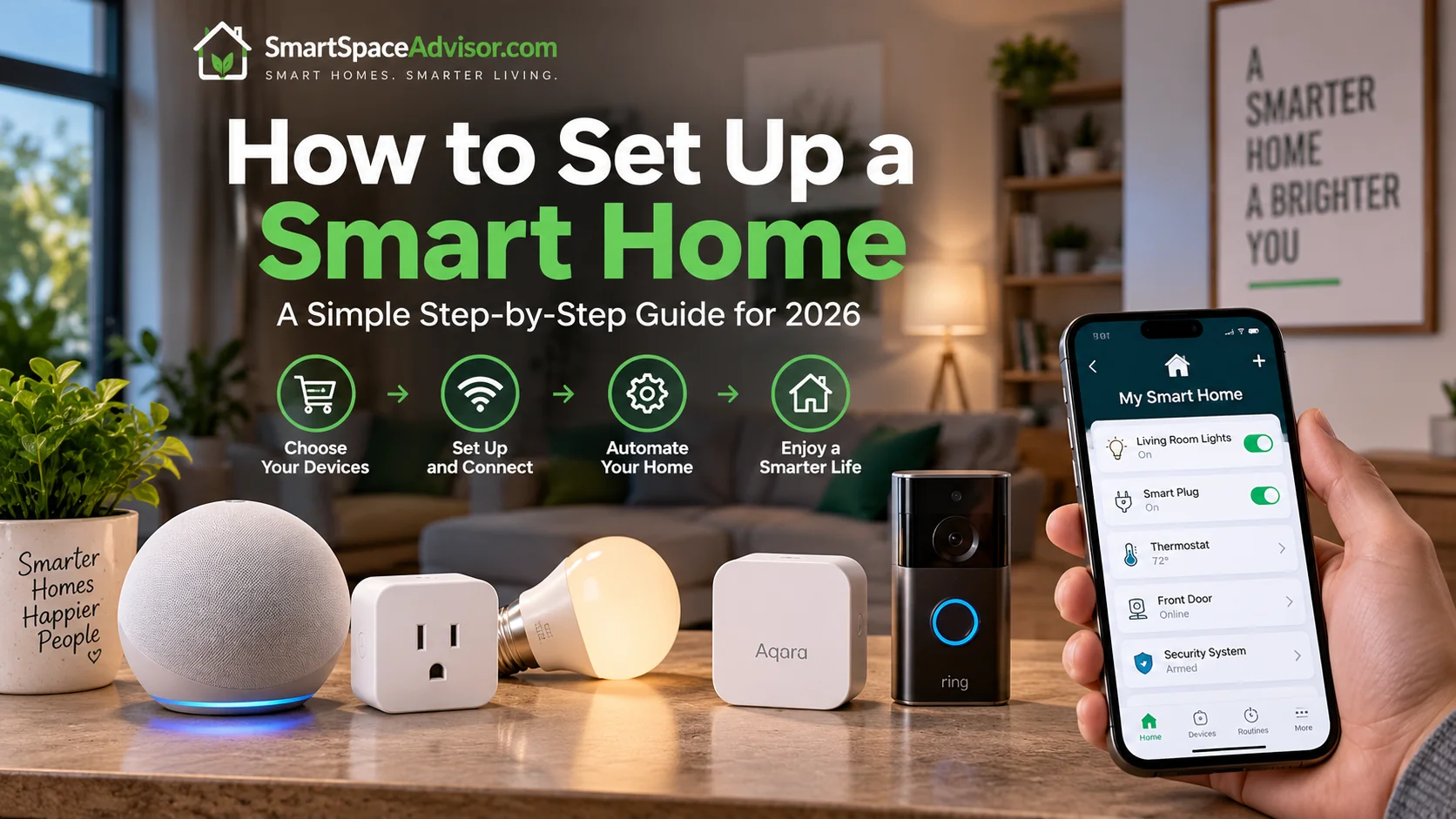
Every smart home you’ve ever seen — the kind where a single voice command dims the lights, locks the door, and starts the coffee maker — began exactly where you are right now: with zero devices, a phone full of apps you haven’t downloaded yet, and a slightly overwhelming sense that everyone else already knows something you don’t.
They don’t, really. Smart homes get built one device at a time, in a fairly predictable order, and the households with the smoothest setups are usually the ones who resisted the urge to buy everything at once. This guide walks through that order — what to buy first, what to skip until later, and how to avoid the handful of mistakes that trip up almost every beginner.
By the end, you’ll have a clear, practical roadmap — not a shopping list of fifty gadgets, but a sequence that actually works.
Before You Buy Anything: Three Decisions to Make First
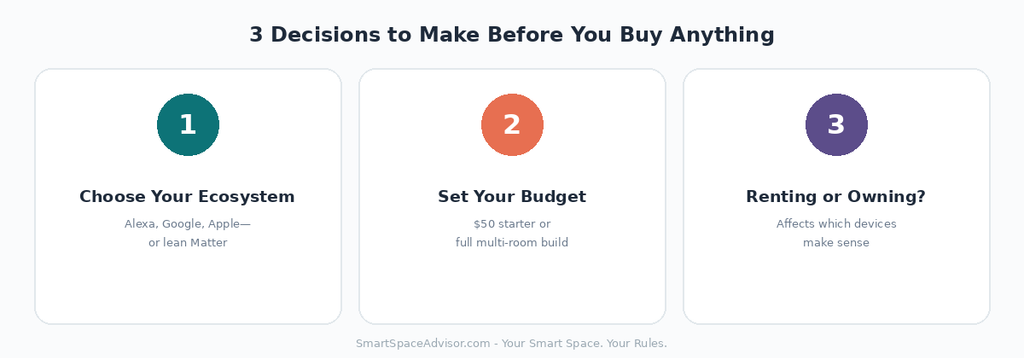
Decision 1: Which voice assistant ecosystem?
This is the single most important decision in your entire smart home journey, and it’s worth making deliberately rather than by accident.
If your household already owns iPhones, Apple Home is the natural fit. If you’re on Android or already own Google devices, Google Home fits better. If you’re unsure or your household is mixed, Amazon Alexa remains the most broadly supported option across budget devices, and increasingly, prioritizing Matter-certified devices sidesteps this decision almost entirely — a Matter device works natively across all three platforms at once, so if you buy Matter-certified gear from the start, you’re not really locking yourself in either way.
Our practical advice for total beginners: don’t overthink this. Pick whichever assistant matches the phones already in your house, and lean toward Matter-certified products where the price difference is small — you get the flexibility without the research overhead.
If you’re deciding between the latest speaker hardware for these ecosystems, our Echo Dot Max vs Google Home Speaker comparison breaks down the major differences.
Decision 2: What’s your actual budget?
Smart homes can be built for $50 or $5,000, and neither extreme is wrong — it depends on what you want out of it. If you’re testing the waters, our guide to the best smart home devices under $50 covers a genuinely complete starter kit. If you’re planning a full-home rollout across many rooms, budget for it in phases rather than trying to furnish every room simultaneously — both for your wallet’s sake and because you’ll learn what you actually use as you go.
Decision 3: Renting or owning?
This affects which device categories are realistic for you. Renters should lean heavily toward plug-in and battery-powered devices — smart plugs, no-hub bulbs, and retrofit gadgets like the SwitchBot Bot — while avoiding anything requiring wiring changes, like hardwired smart switches. Owners have more flexibility to consider wired installations, but there’s no requirement to start there.
The Six-Step Setup Order
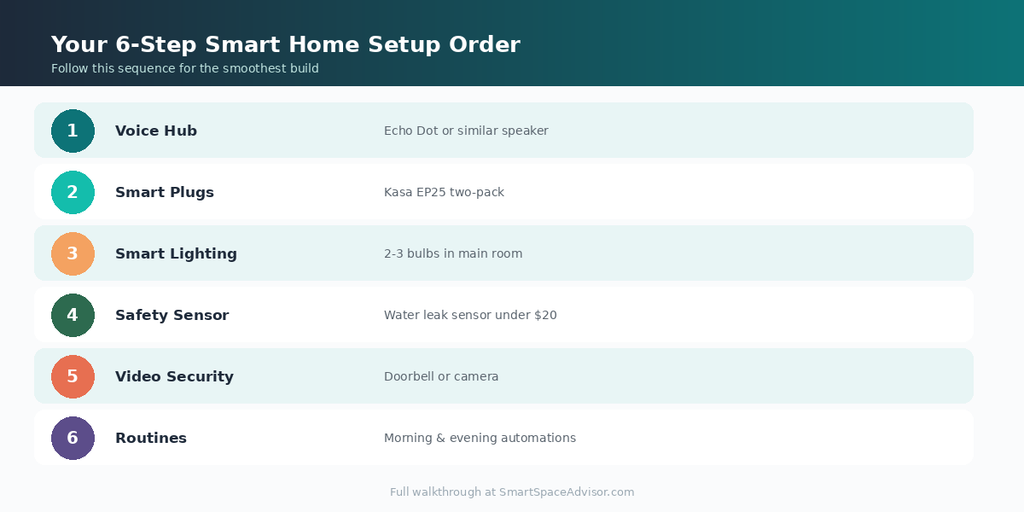
Most successful smart home builds follow roughly this sequence. You can adjust based on your priorities, but this order minimizes wasted purchases and frustration.
Step 1: Establish Your Voice Hub
Before adding any other device, get a smart speaker or display in place — it becomes the control center everything else connects to. The Amazon Echo Dot (5th Gen) is our standard recommendation here: affordable, functions as a Matter controller out of the box, and gives you voice control from day one.
What to do: Buy one smart speaker. Set it up. Get comfortable with basic voice commands before adding anything else. This single step establishes the foundation everything else builds on.
Step 2: Add Your First Smart Plugs
Smart plugs deliver the fastest “wow, this is actually useful” moment of any device category, which is exactly why they’re the standard second purchase. Our complete smart plugs guide covers ten options in detail, but for a first purchase, the Kasa EP25 is hard to beat — reliable, includes energy monitoring, and works with no hub required.
What to do: Buy a two-pack. Put one on a lamp, one on something else you turn on/off daily (a fan, a coffee maker). Set up one schedule and one voice command. This is where the concept “clicks” for most people.
Step 3: Add Smart Lighting
Once you’re comfortable with the basics, lighting is the next logical expansion — it’s the device category most people interact with daily, and it delivers a genuinely different feel to a room.
What to do: Start with one or two bulbs in the room you spend the most time in — living room or bedroom are typical choices. Set up a basic “warm in the evening, brighter during the day” schedule before adding color scenes or more elaborate automations.
Step 4: Add a Safety Device
This step gets skipped constantly, and it shouldn’t. A water leak sensor costs under $20 and can prevent thousands of dollars in water damage — genuinely one of the highest-value purchases in the entire smart home category, precisely because it’s boring enough that people forget to buy it.
What to do: Place a leak sensor under your kitchen sink, near your water heater, or behind your washing machine — wherever a slow leak would go unnoticed longest.
Step 5: Add Video Security
Once your foundation is solid, a video doorbell or camera is a natural next step — genuinely useful, and it’s the device category most likely to make a smart home feel complete to visitors and family members who notice these things.
What to do: If you have existing doorbell wiring, a hardwired video doorbell like the Blink Wired Doorbell 2K+ is a straightforward addition. If you’re renting without existing wiring, battery-powered options avoid installation entirely.
Step 6: Build Your First Routines
This is the step that actually transforms a collection of gadgets into a “smart home” in the way people usually mean it. A routine chains multiple devices and actions behind a single trigger — a voice phrase, a schedule, or another device’s state.
What to do: Build one morning routine (lights on, weather read aloud) and one evening routine (lights dim, doors implicitly reminded to lock) through your voice assistant’s app. Resist building ten routines on day one — start with two you’ll actually use daily, then expand.
A Realistic Budget and Timeline
| Phase | What You’re Buying | Approx. Cost | Timeframe |
|---|---|---|---|
| Foundation | Smart speaker + 2 plugs | ~$55 | Week 1 |
| Lighting | 2–3 smart bulbs | ~$30–$45 | Week 2–3 |
| Safety | 1–2 leak sensors | ~$20–$38 | Week 3–4 |
| Security | Video doorbell | ~$50 | Month 2 |
| Expansion | Additional plugs, bulbs, switches | Ongoing | Month 2+ |
This spreads a genuinely complete starter smart home across roughly $200–$220 and two months — deliberately paced so you learn what you actually use before spending more.
Five Mistakes Beginners Make (Avoid These)
Buying everything in one order. A large first-week purchase means you haven’t yet learned which devices you’ll actually use daily versus which will sit half-configured. Build in phases.
Ignoring the “dumb switch” problem. As covered in our budget devices guide, a smart bulb loses power the moment someone flips its wall switch off. Address this early — either through household habit or a smart switch — rather than discovering it after three bulbs “mysteriously” stop responding.
Mixing ecosystems accidentally. Buying devices that only work with Alexa alongside devices that only work with Google Home means nobody in your household gets unified voice control. Decide your primary ecosystem (or lean Matter) before your second purchase, not your tenth.
Skipping the safety devices. Leak sensors and smoke detectors are unglamorous compared to color-changing bulbs, which is exactly why they’re the most commonly skipped category — and the one most likely to actually save you money.
Over-automating too early. Ten complex routines built in your first week usually means eight of them get ignored or become annoying within a month. Start with one or two genuinely useful routines and expand only once you know what you actually want automated.
Frequently Asked Questions
What’s the single best first purchase for a smart home?
A smart speaker, specifically something like the Amazon Echo Dot. It establishes voice control immediately and, in newer models, functions as a Matter controller — meaning every device you add afterward has a foundation to connect to.
Do I need to commit to one brand for everything?
No. Modern smart homes are built from mixed brands regularly — a Kasa plug, a Philips bulb, an Aqara sensor can all coexist under one voice assistant without issue. The brand matters less than the ecosystem (Alexa, Google, Apple) and, increasingly, whether a device is Matter-certified.
How long does it realistically take to set up a full smart home?
Most people build out a genuinely useful setup over one to three months, adding devices gradually as they identify real needs rather than guessing upfront. Rushing to buy everything in week one usually results in devices that sit unused because they were never properly integrated into a routine.
Is a smart home worth it if I rent my home?
Yes — renters can build a fully functional smart home using only plug-in and battery-powered devices (smart plugs, no-hub bulbs, battery video doorbells, and retrofit gadgets like the SwitchBot Bot) with zero permanent installation, all of it moving with you at lease-end.
What’s the minimum viable smart home budget?
Around $50–$55 gets you a genuinely useful starting setup: one smart speaker and a two-pack of smart plugs. Our budget devices guide covers exactly this kind of minimal, high-value starting point in detail.
Do I need technical skills to set any of this up?
No — every device recommended in this guide is designed for app-based setup requiring no technical background: plug it in, follow the app’s prompts, done. The only device category requiring any technical comfort is hardwired smart switches, which involve basic electrical work most people either hire out or approach carefully with a wiring guide.
Our Verdict
The households that end up genuinely happy with their smart homes almost always followed some version of the sequence above: hub first, plugs second, lighting third, safety and security following once the basics feel natural. The households that end up frustrated usually bought everything at once, skipped the boring safety devices, and never quite got routines set up.
Start small. Start with a speaker and two plugs. Everything else follows naturally from there.

Ryan Hayes
Founder & EditorRyan Hayes is the founder and editor of Smart Space Advisor, where he researches and evaluates smart home technology to help readers make informed buying decisions. His work focuses on smart security, video doorbells, smart plugs, lighting, and connected-home platforms including Matter, Alexa, Google Home, and Apple Home. By combining product research, manufacturer documentation, feature comparisons, and real-world considerations, Ryan aims to cut through technical jargon and provide practical, straightforward advice about which smart home products offer genuine value.